CIPC Beneficial Ownership

1

Welcome to the guide: Navigating Beneficial Ownership Declarations on CIPC, presented to you by Managing Advancing Wealth, your trusted advisor in compliance matters. It is interactive, allowing you to follow along step-by-step as we ensure your business remains compliant with CIPC regulations. Click on the arrow or the next step below to begin.
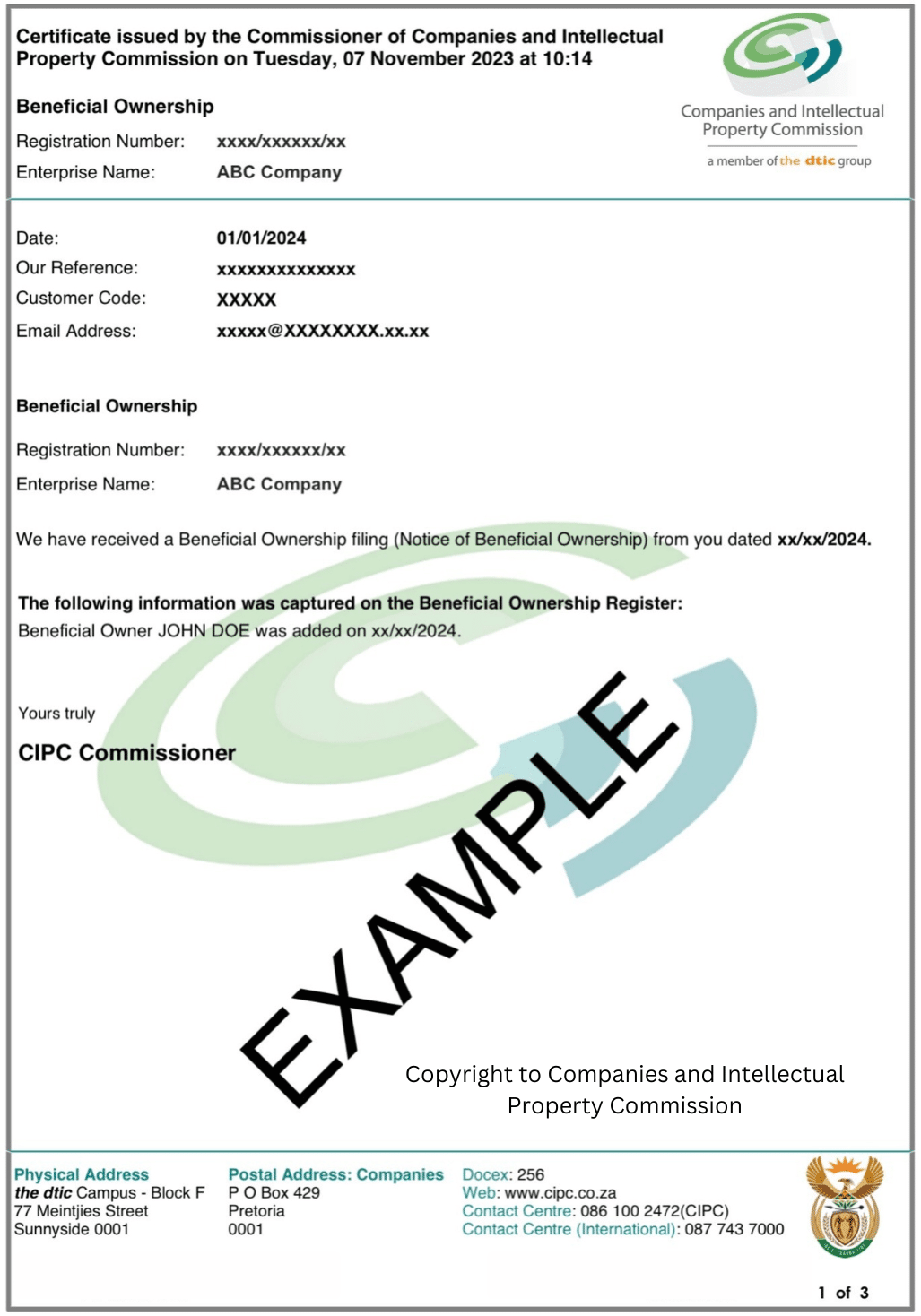
**Welcome** to the guide: Navigating Beneficial Ownership Declarations on CIPC, presented to you by **Managing Advancing Wealth**, your trusted advisor in compliance matters. It is interactive, allowing you to follow along step-by-step as we ensure your business remains compliant with CIPC regulations. Click on the arrow or the next step below to begin.
2

Search "CIPC login" and click the link eservices.cipc.co.za.
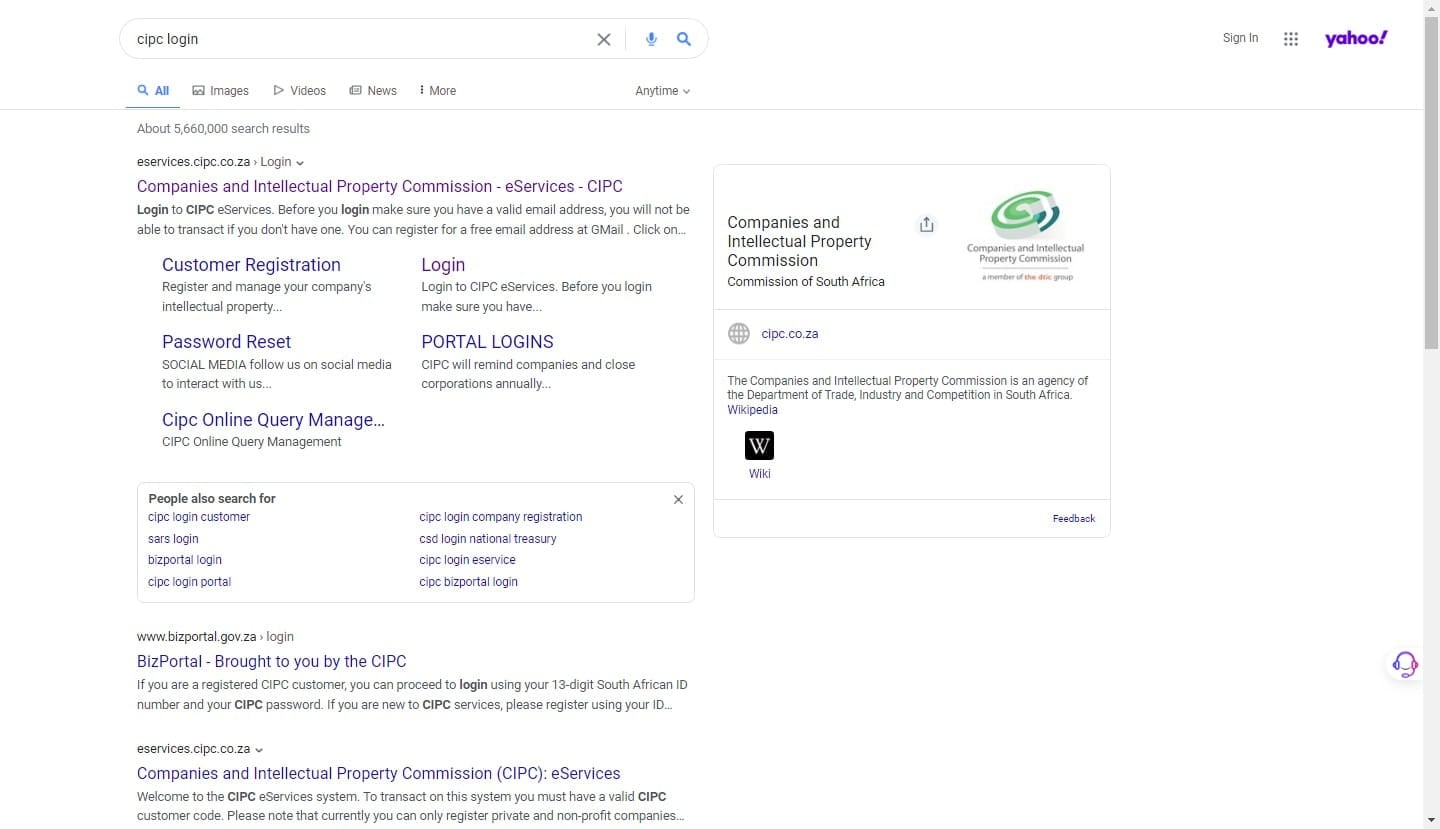
Search "CIPC login" and click the link *eservices.cipc.co.za*.
3

Log in to CIPC using your customer login credentials. Enter the security code displayed on the screen into the designated space provided. Tick to accept the CIPC terms and conditions and click Login.
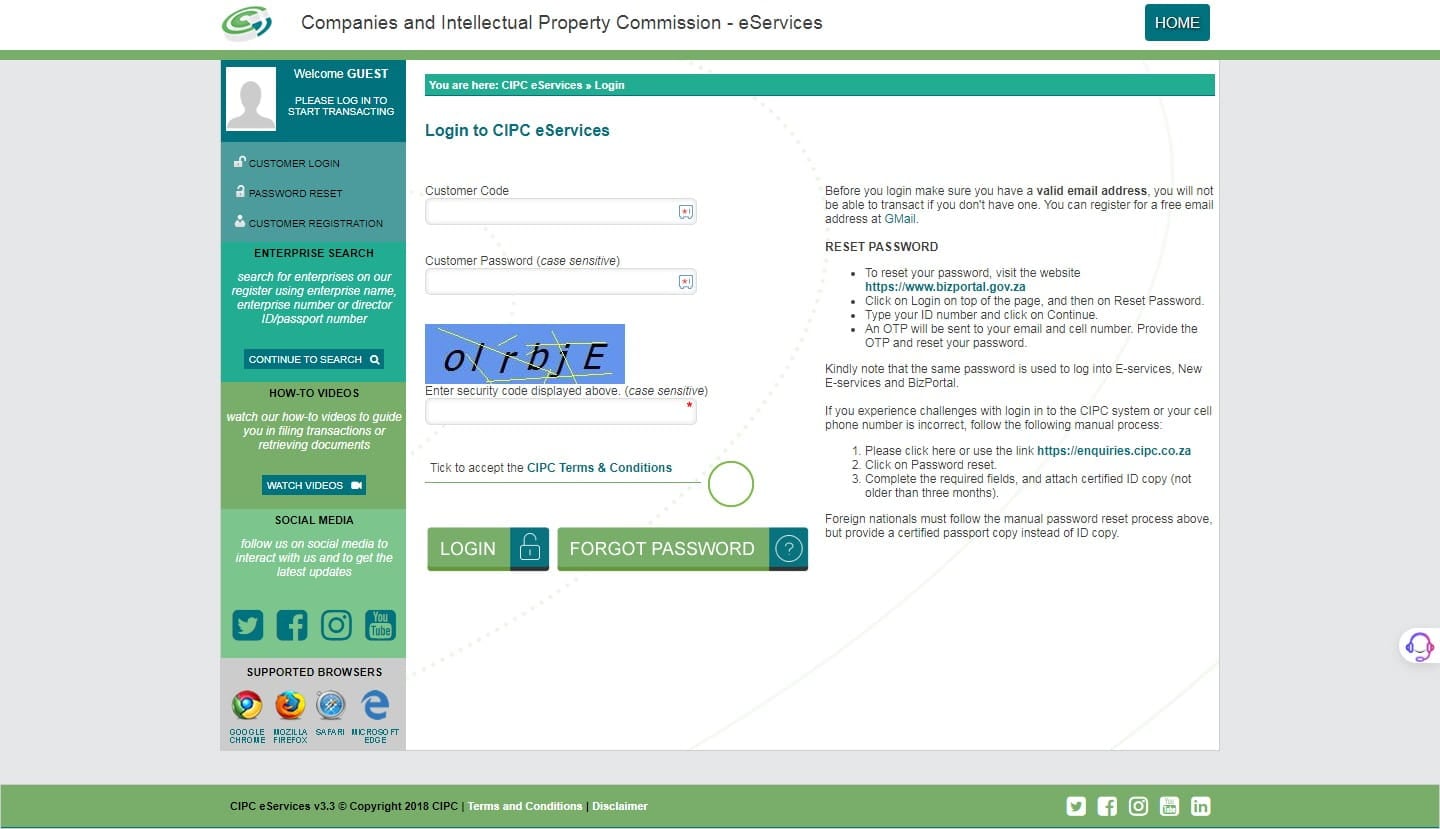
Log in to CIPC using your customer login credentials. Enter the security code displayed on the screen into the designated space provided. Tick to accept the CIPC terms and conditions and click **Login**.
4

After you have logged into CIPC, start by clicking Transact.
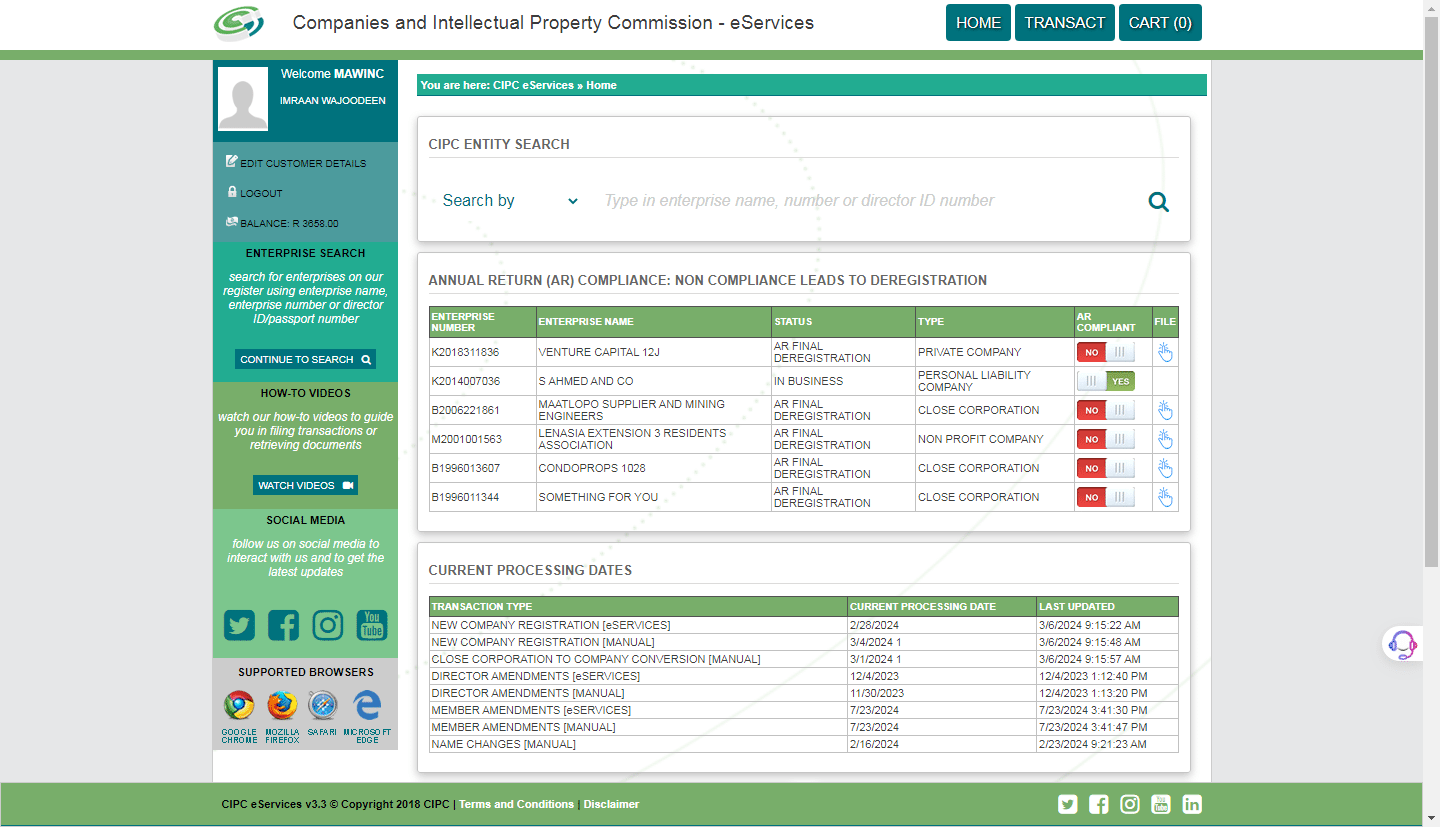
After you have logged into CIPC, start by clicking **Transact**.
5

This will lead us to a page with the online services provided by CIPC. Select Beneficial Ownership.
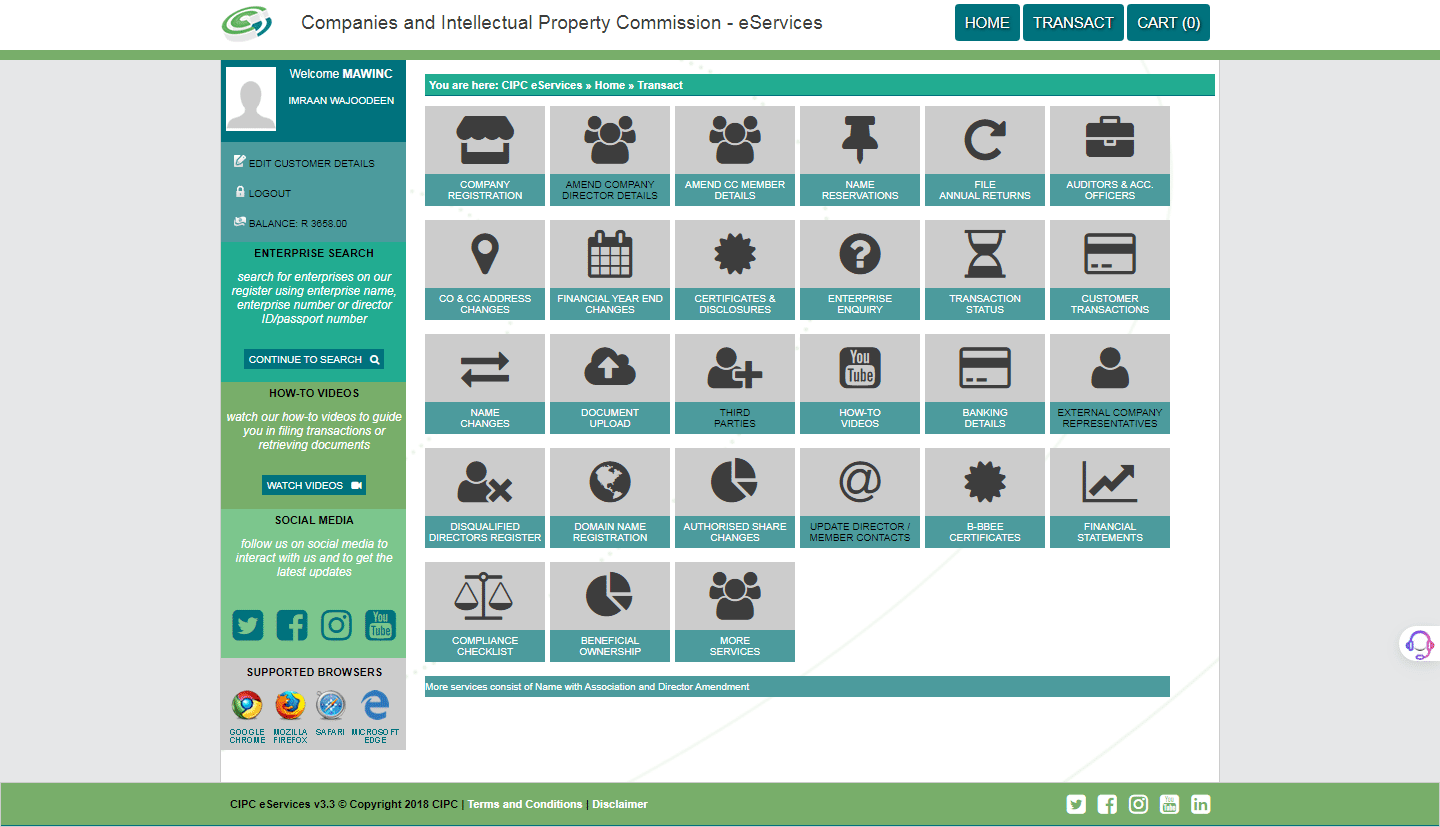
This will lead us to a page with the online services provided by CIPC. Select **Beneficial Ownership**.
6

Read and understand the declaration. Check the box "I Agree" to accept that you have read and understood the CIPC terms and conditions. Click Continue.
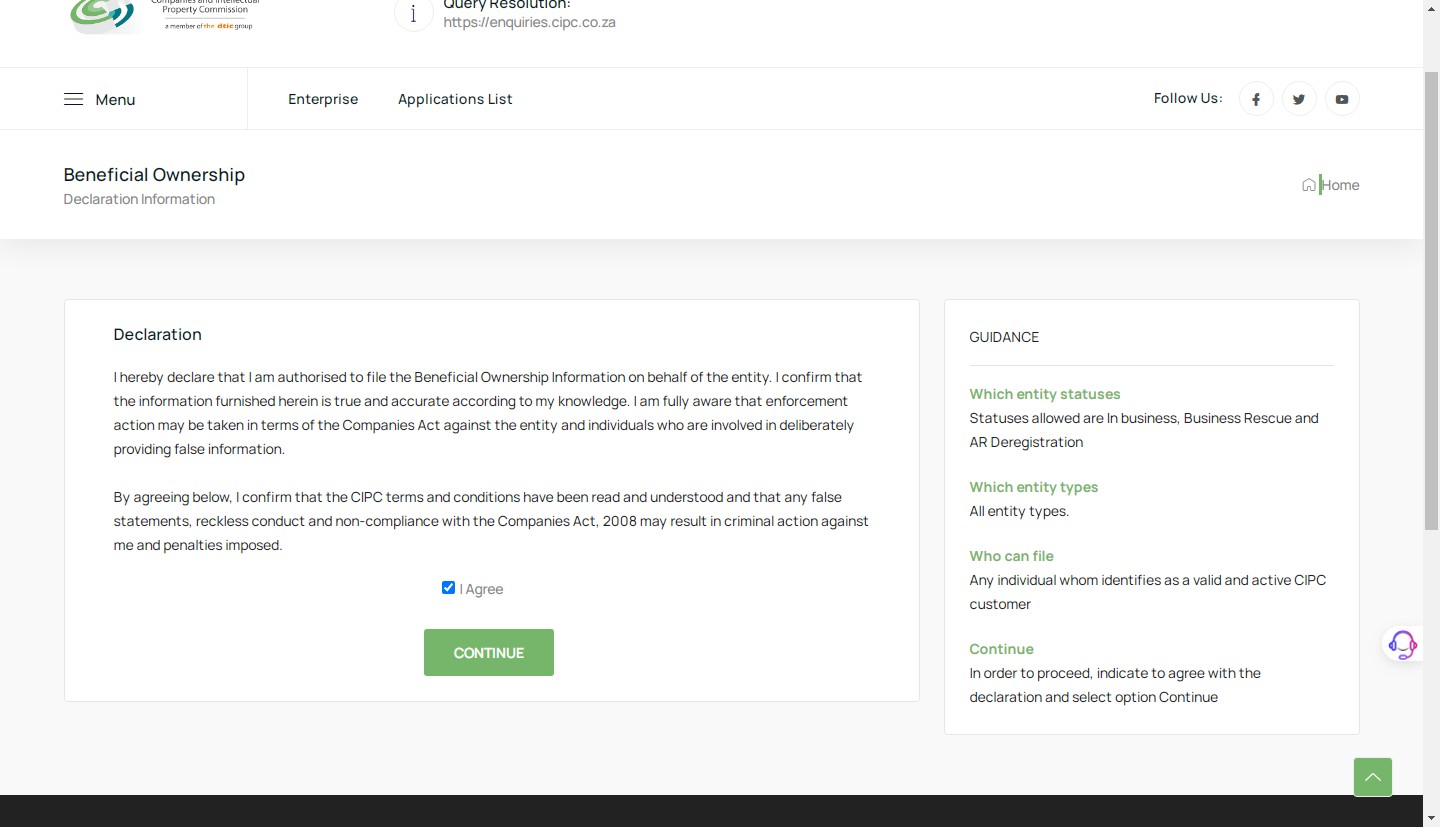
Read and understand the declaration. Check the box "I Agree" to accept that you have read and understood the CIPC terms and conditions. Click **Continue**.
7

Once the page opens, you will see all the details of completed, rejected, or pending beneficial ownership declarations. You may also insert a reference number.
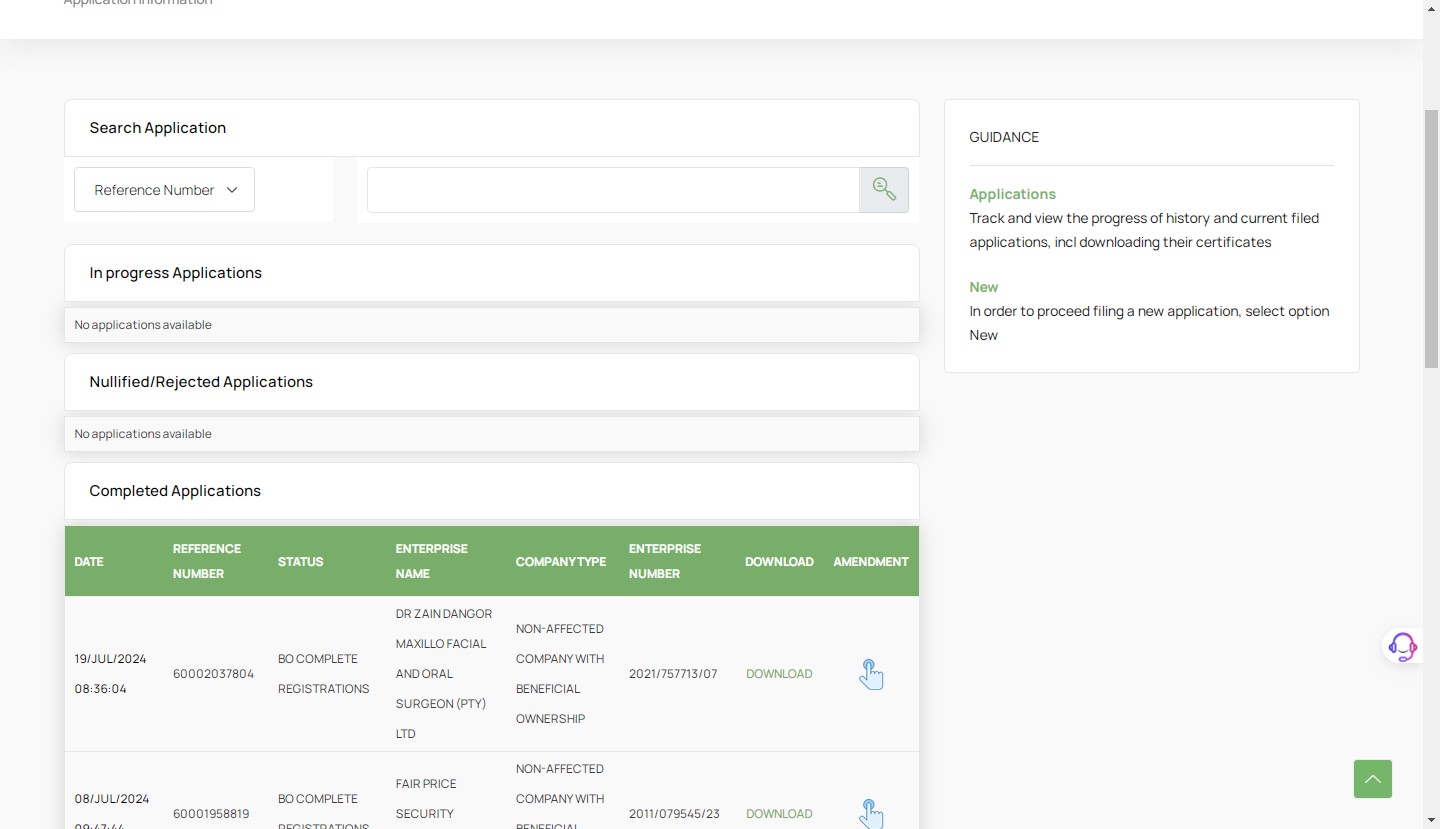
Once the page opens, you will see all the details of completed, rejected, or pending beneficial ownership declarations. You may also insert a reference number.
8

Scroll down and click New to create a new Beneficial Ownership Declaration.
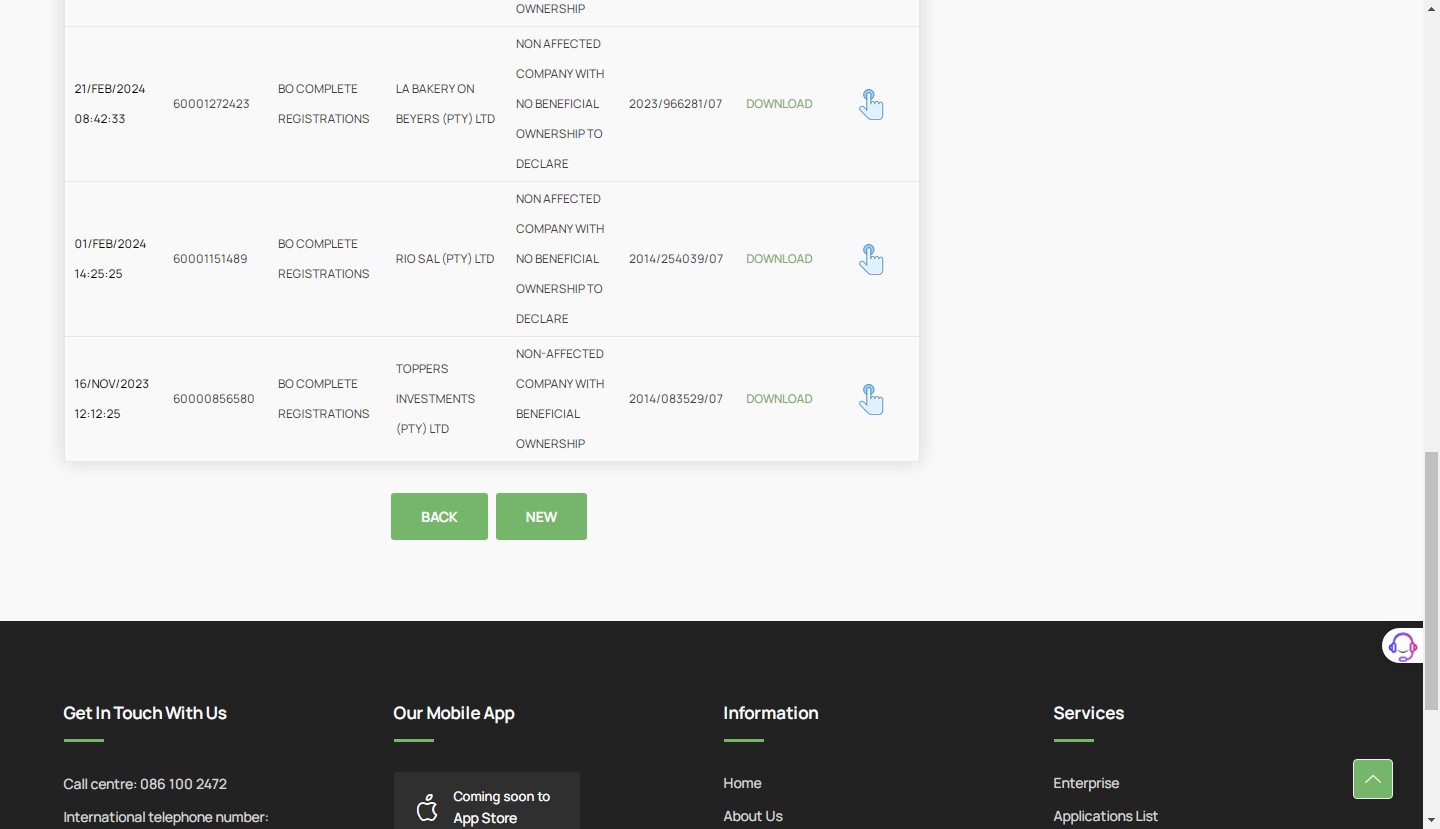
Scroll down and click **New** to create a new Beneficial Ownership Declaration.
9

Next, search for the company using its "registration number" to register beneficial ownership.
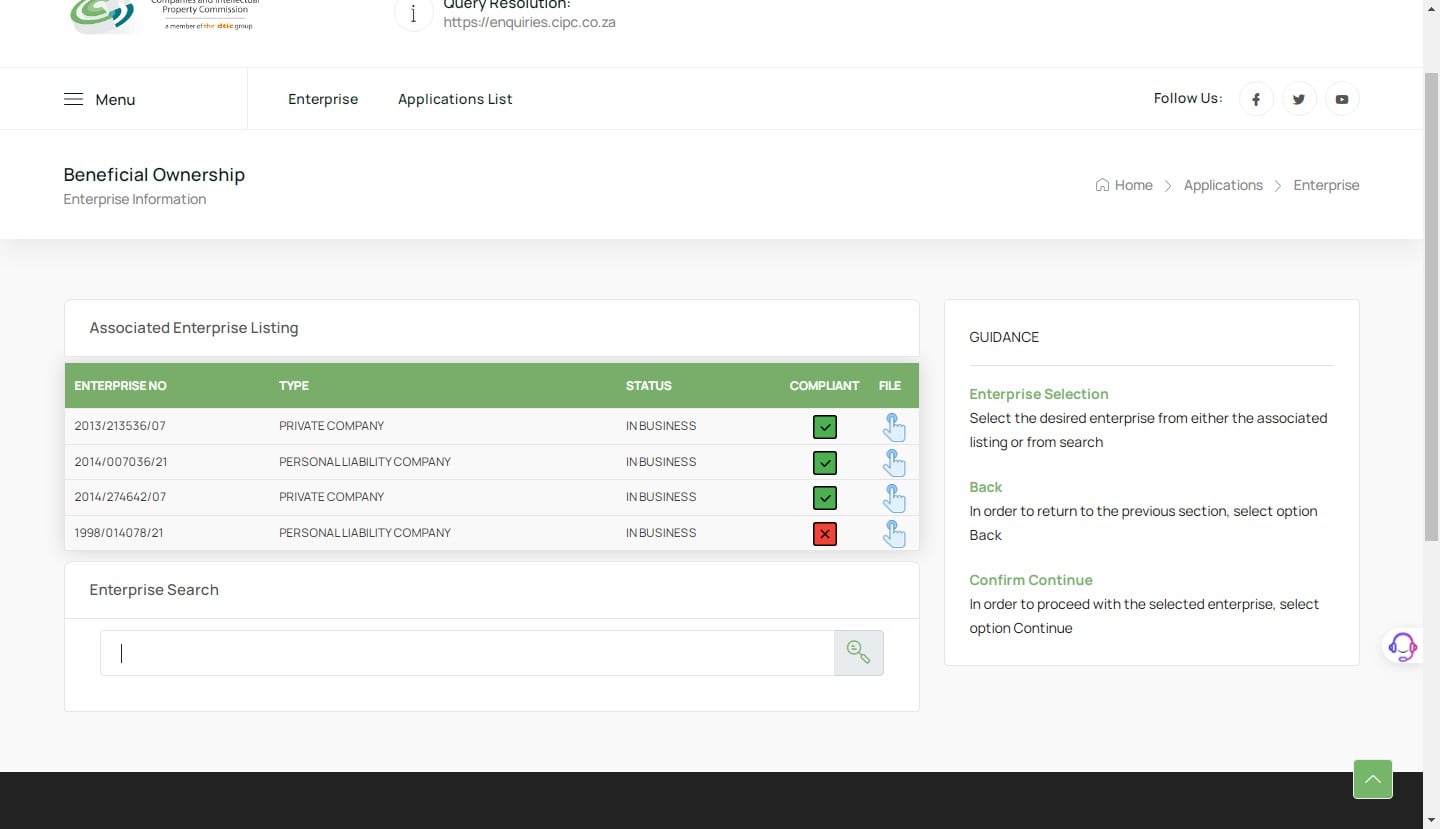
Next, search for the company using its "registration number" to register beneficial ownership.
10

Click here

Click here
11

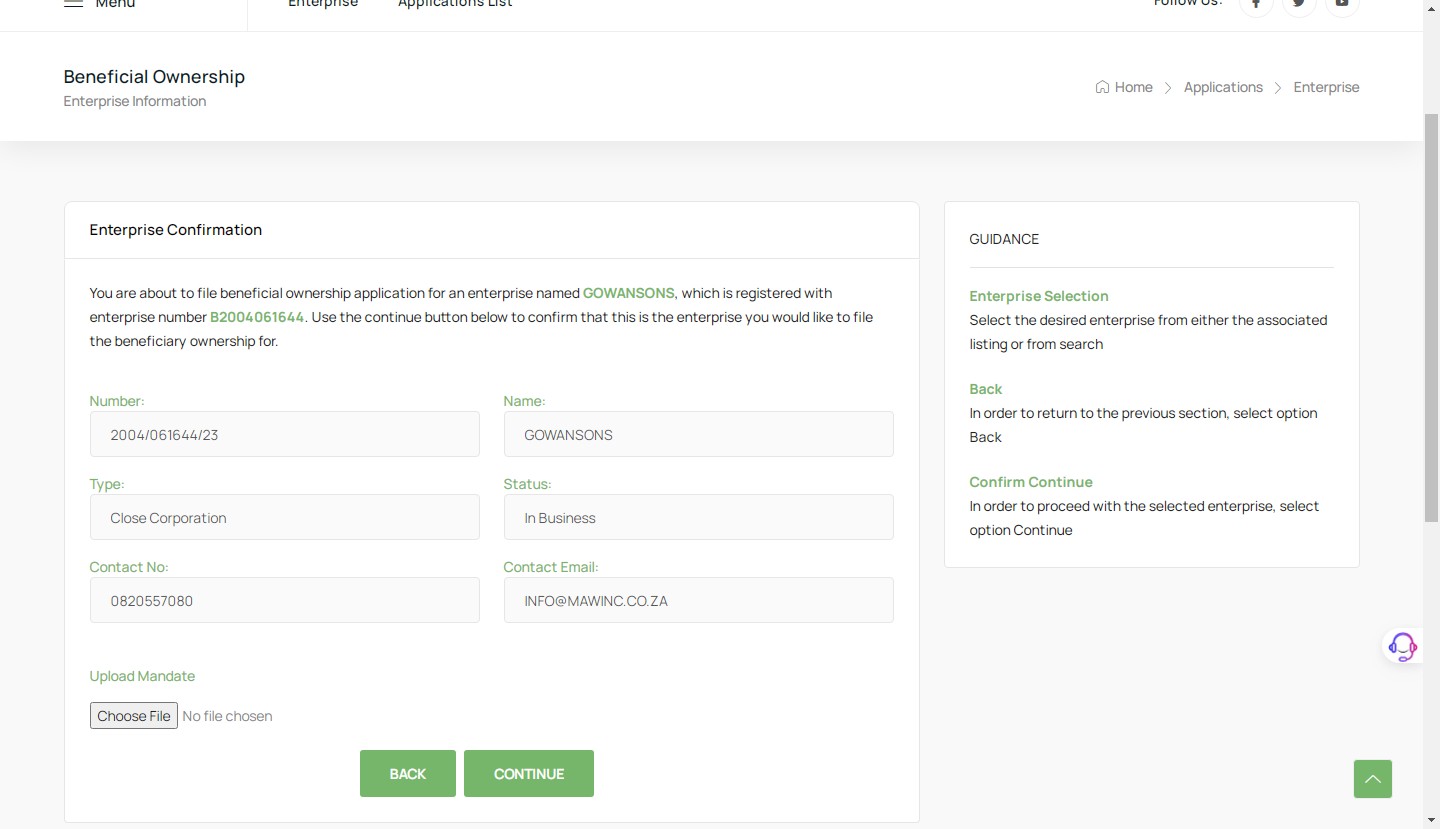
The mandate is a document giving the filer/third party authority to file any documents on CIPC for completion of beneficial ownership. Upload the Mandate by selecting the file from your device or using the drag and drop method. Click Continue.
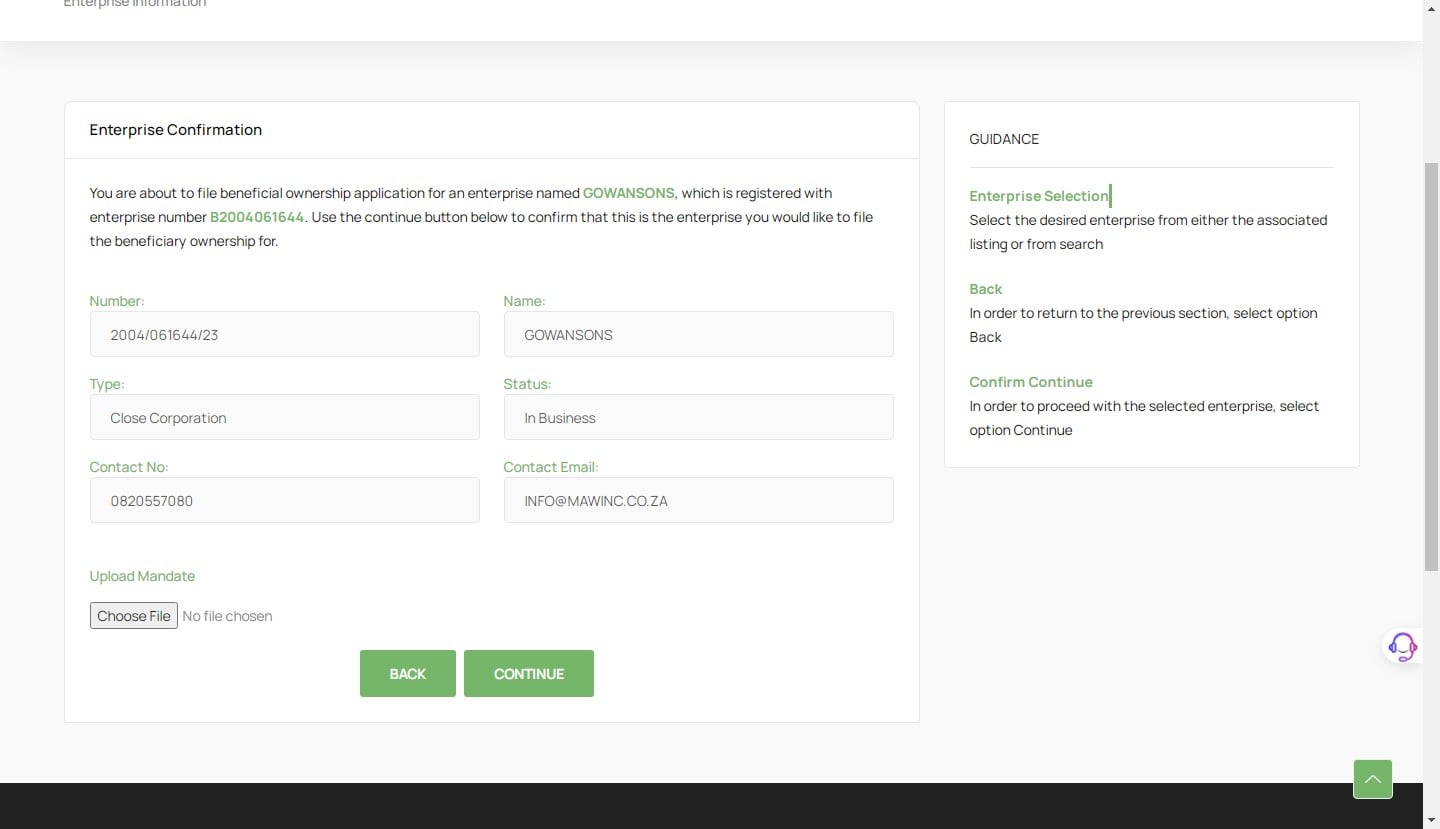
The mandate is a document giving the filer/third party authority to file any documents on CIPC for completion of beneficial ownership. Upload the **Mandate** by selecting the file from your device or using the drag and drop method. Click **Continue**.