Signing Up for a Meet via SportsEngine Motion/Team Unify
How to declare for a meet. *disclaimer: I couldn't get all the screens as my permissions are different from yours - and my buttons are different so hopefully it's close enough.
Sep 21, 2025●
1
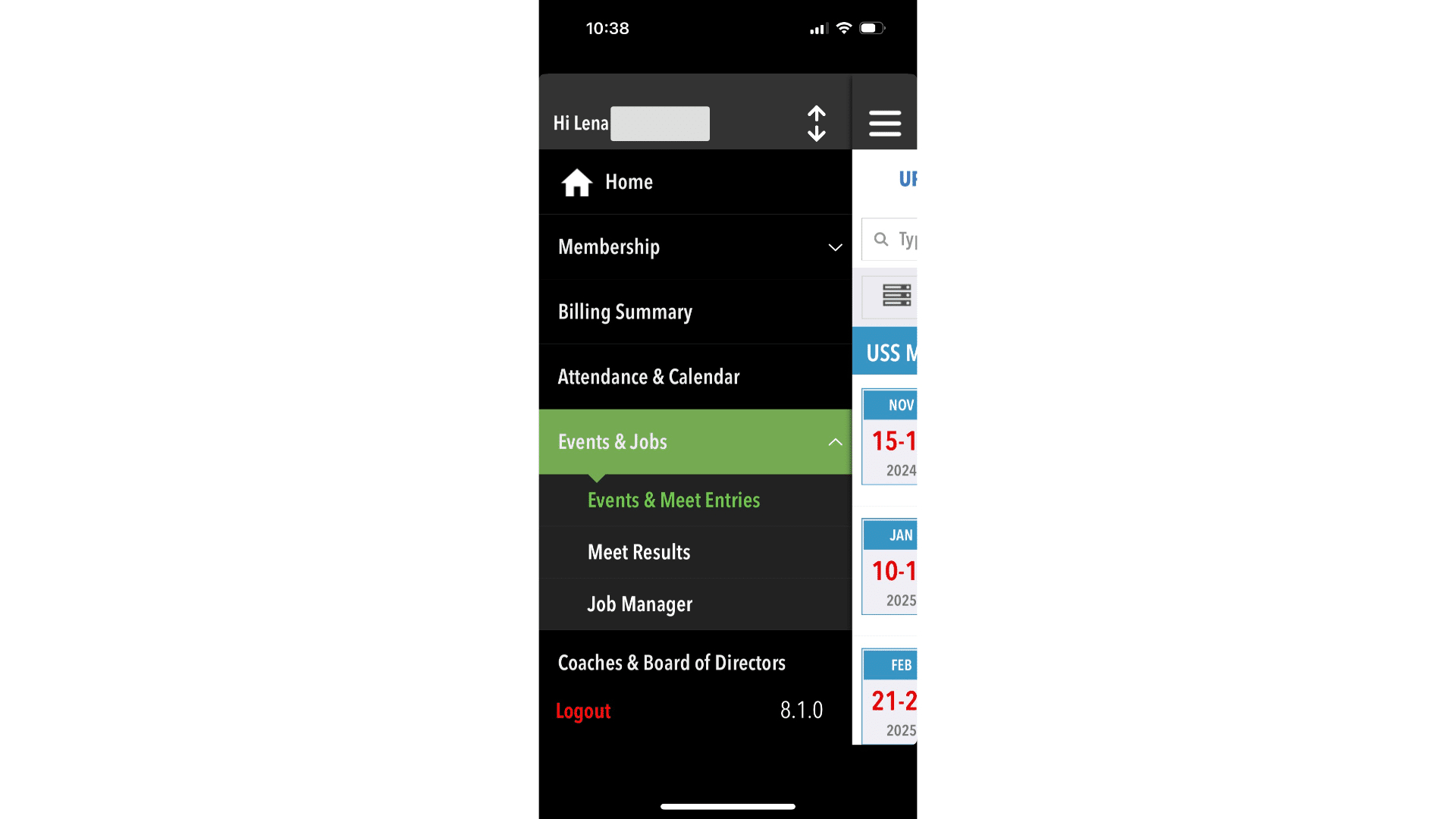
Open your SportsEngine Motion app and open the menu by pressing the three horizontal bars at the top of your phone.
2
Click on Events & Jobs then select "Events & Meet Entry's"
3
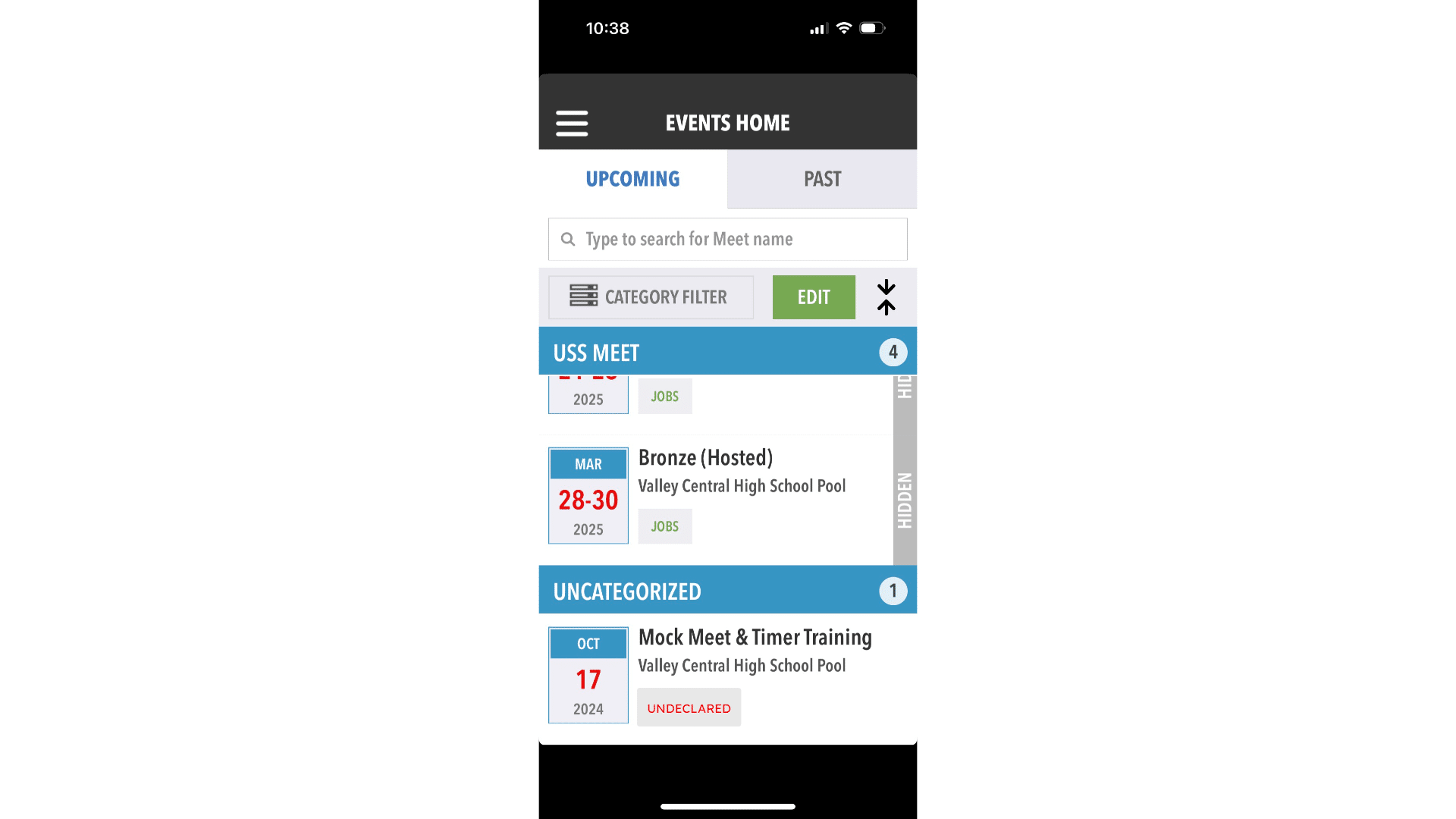
Scroll through the events till you find the meet you're looking for and click it to open.
4
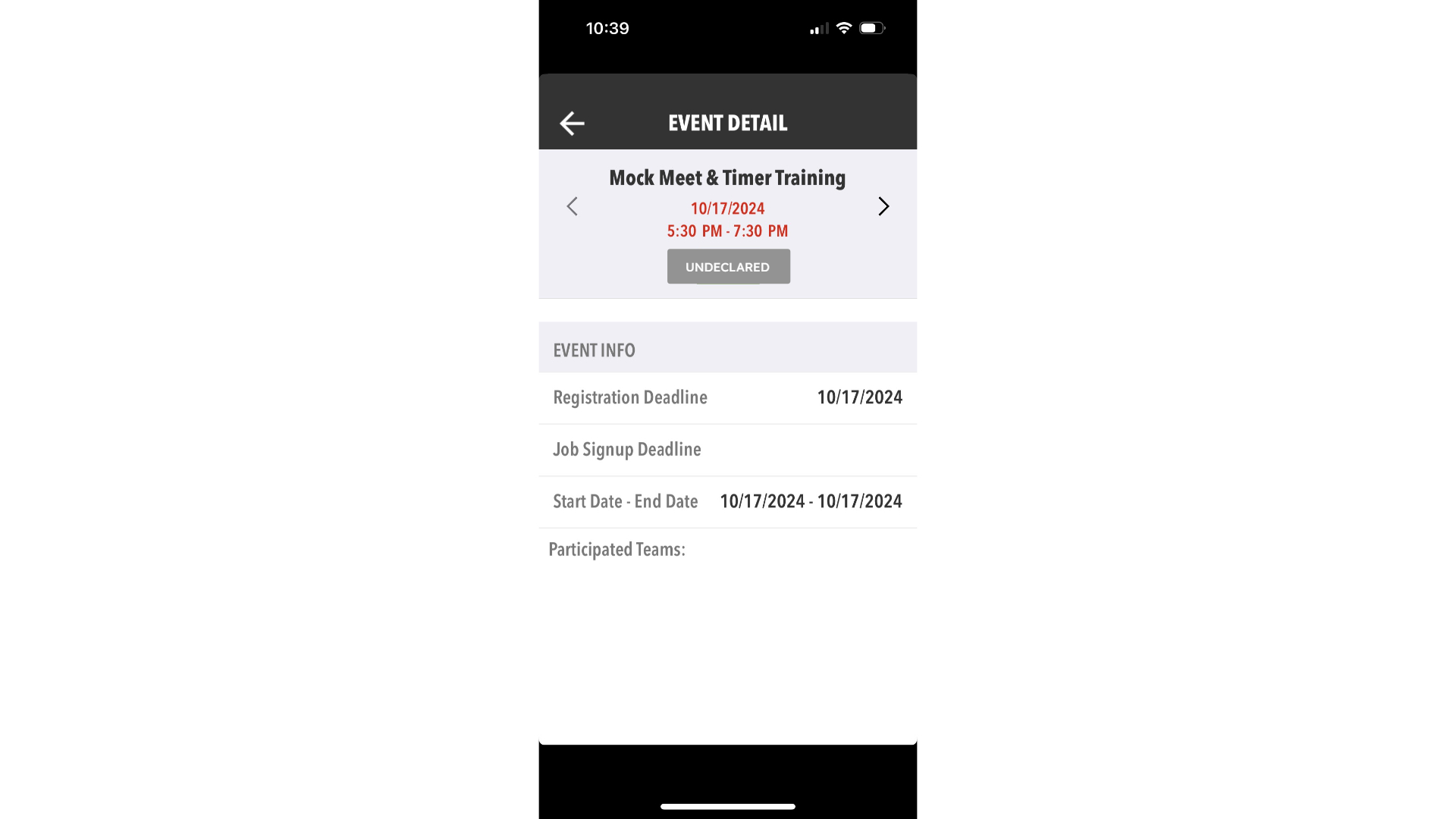
Click undeclared - should look something like this below. Once you press that you can RSVP yes or not in the select option and add availability to the notes... For example: "We can only do Saturday!"