How To Export / Back-up Chatbot Settings
This must be done before you delete your instance so you can retain the same settings after deleting it.
Mar 26, 2024●
1
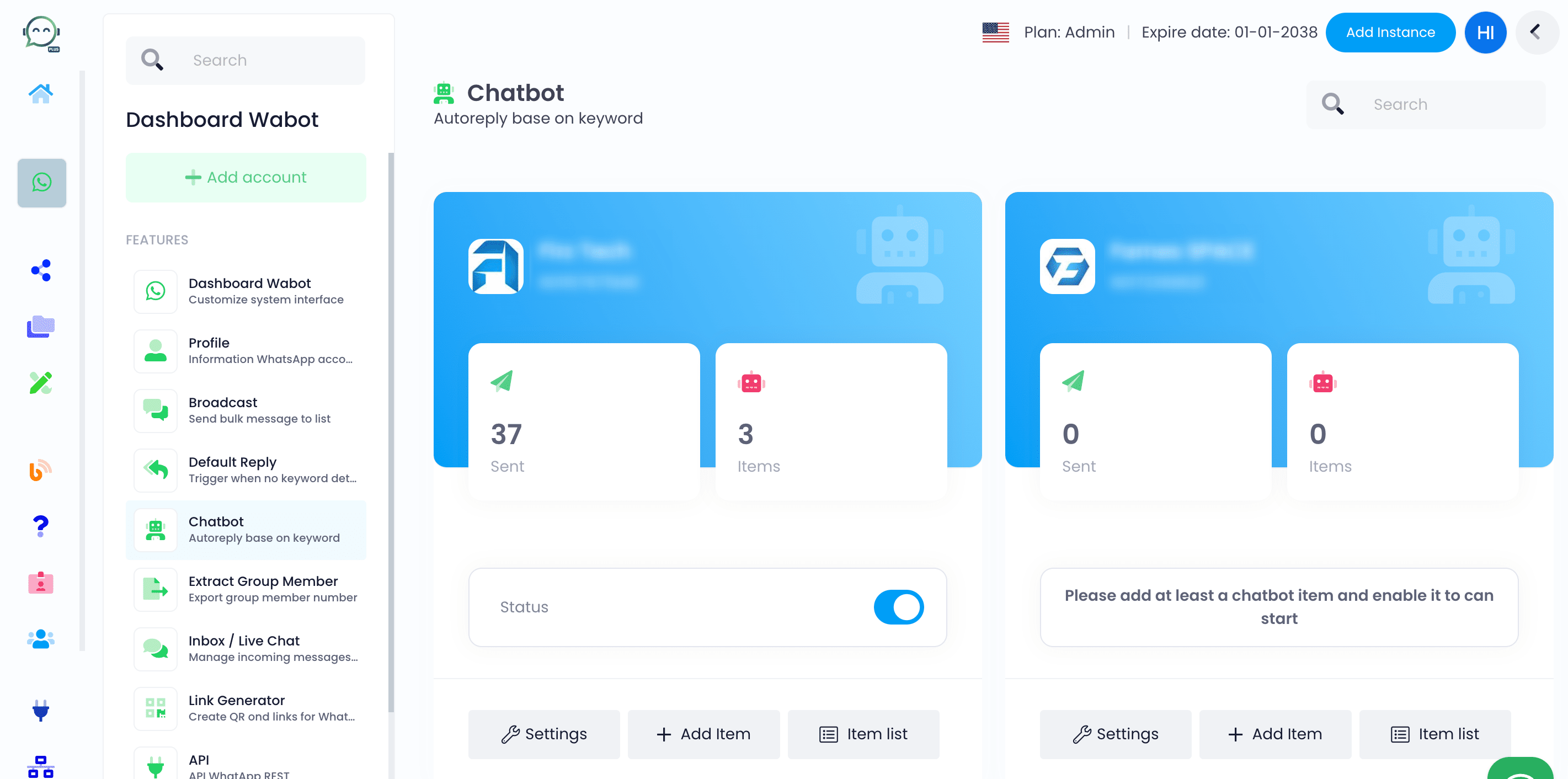
Open the chatbot, choose the profile you want to export, and then select "Item List"

2
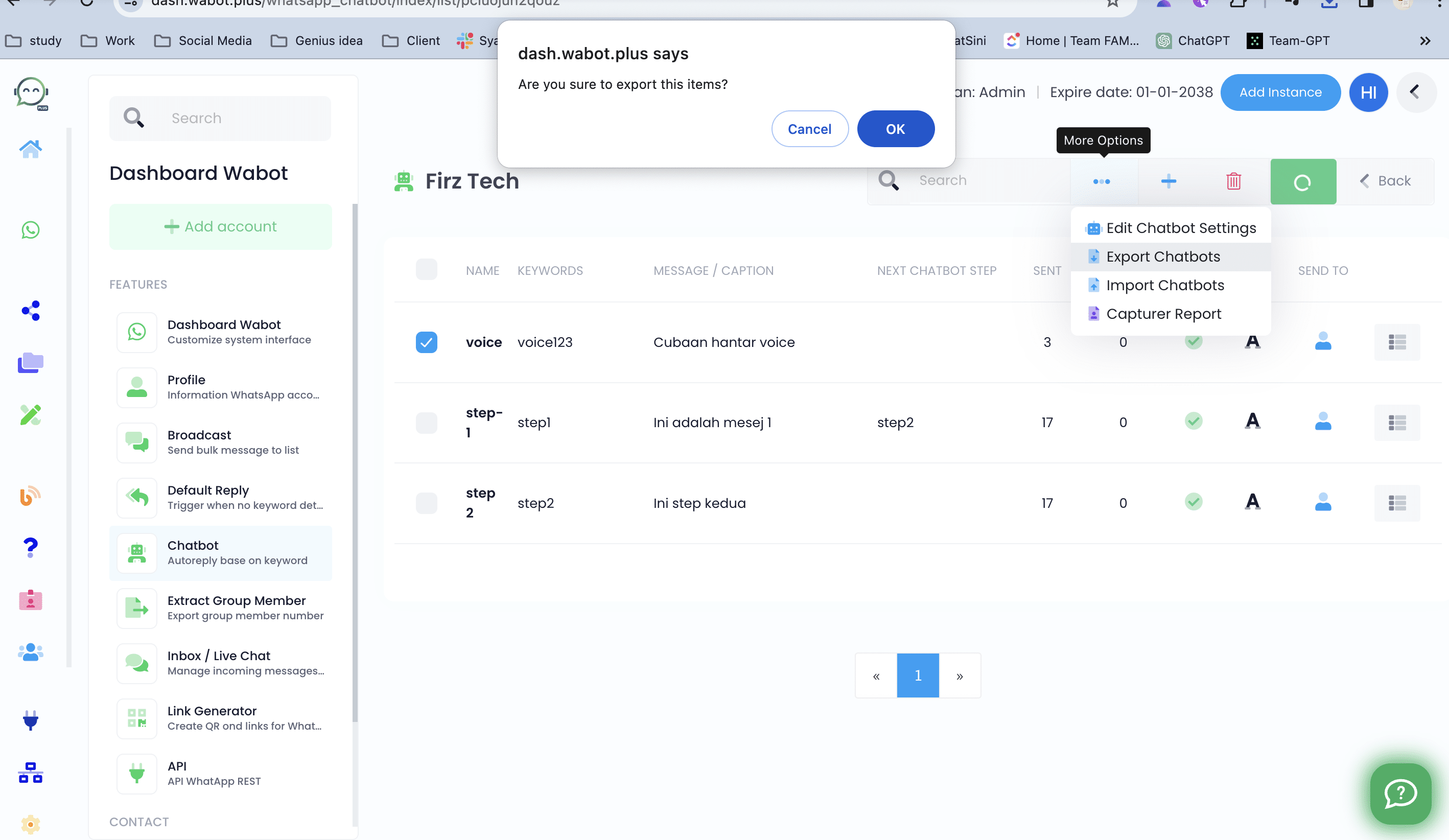
Choose the chatbot(s) you want to export or select none to export all

3
Then click on the "..." and choose "Export chatbots"

4
Click "OK"
5
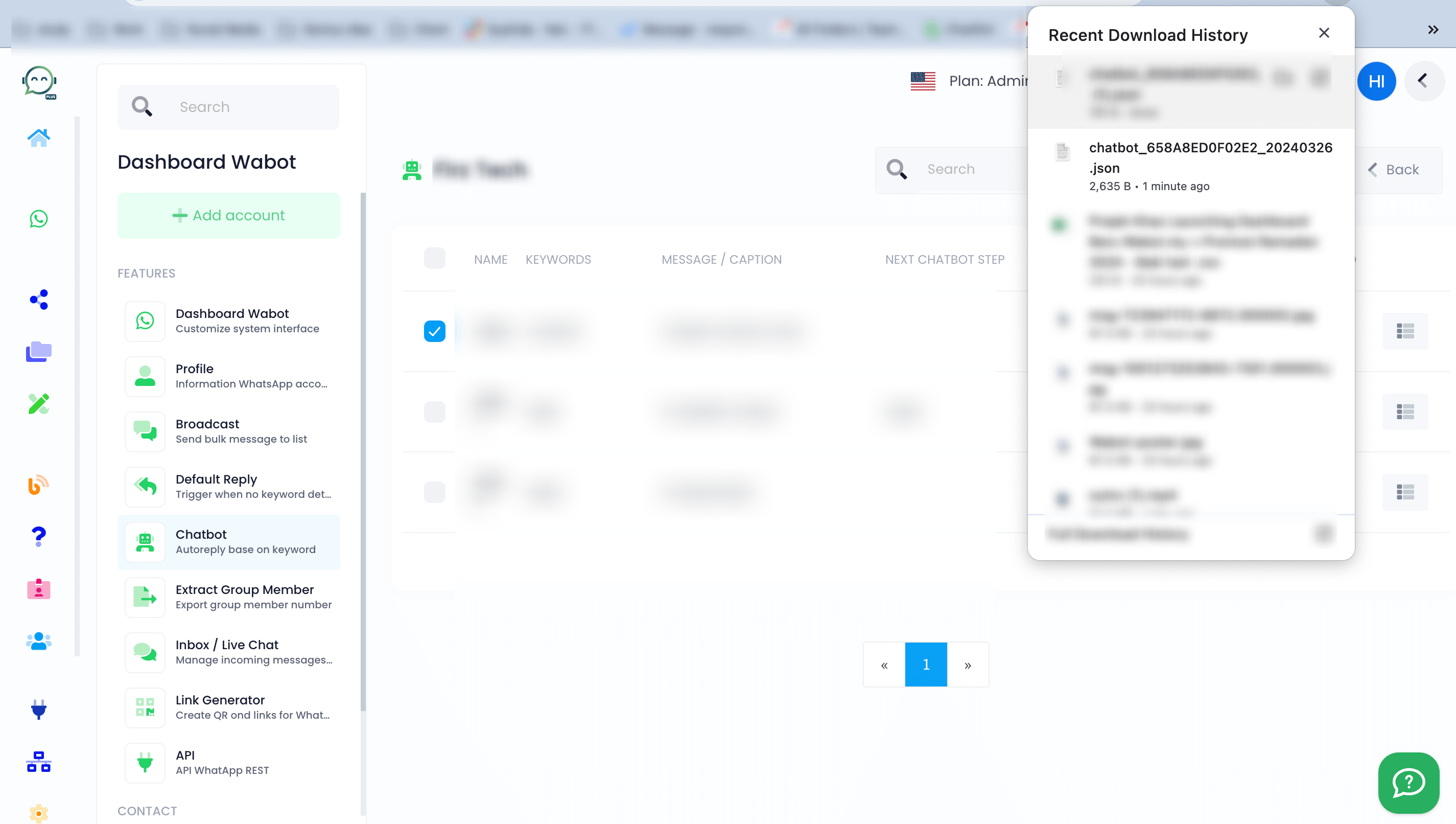
The chatbot settings have been downloaded and backed up. Please remember to upload them once you reconnect with your instance