How to Apply for the Standards of Excellence
Use the step-by-step instructions below to apply for the Standards of Excellence Award for your Advisory Board/Council, Echelon Chapter, or Women's Auxiliary. For application requirements and document templates, click the red button for your organization type. When you're ready to apply, begin with Step 1 below.
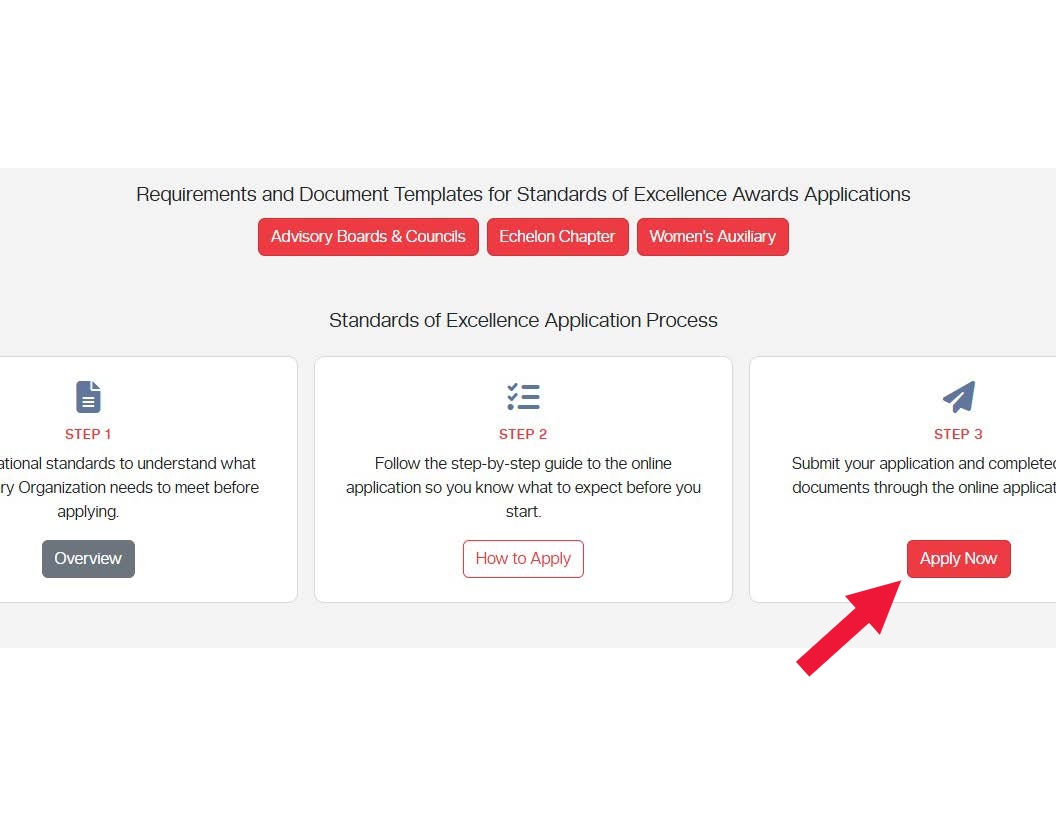
Click on "Apply Now" in Step 3 of the Standards of Excellence Application Process
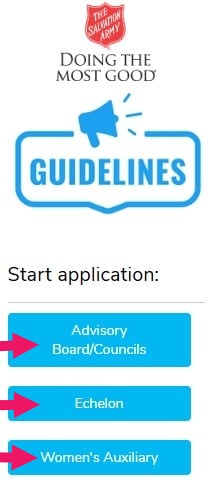
Click on one of the following blue buttons to begin the application process: Advisory Boards/Councils, Echelon or Women's Auxiliary
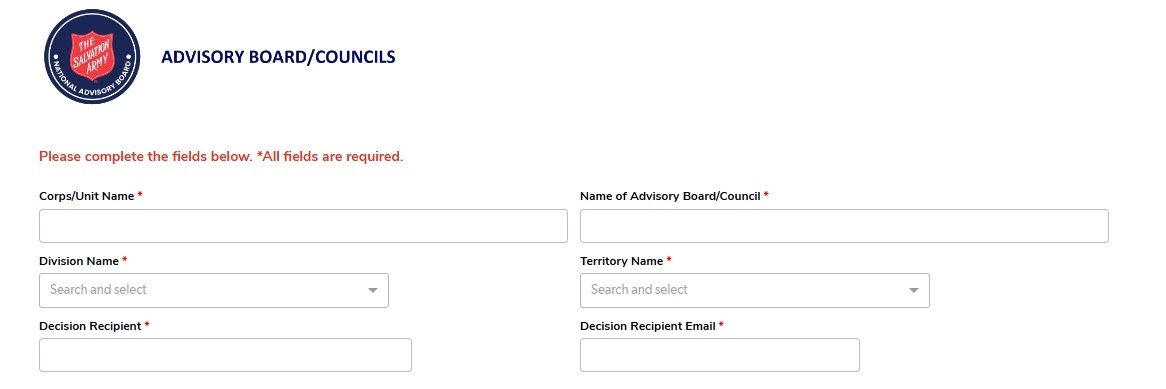
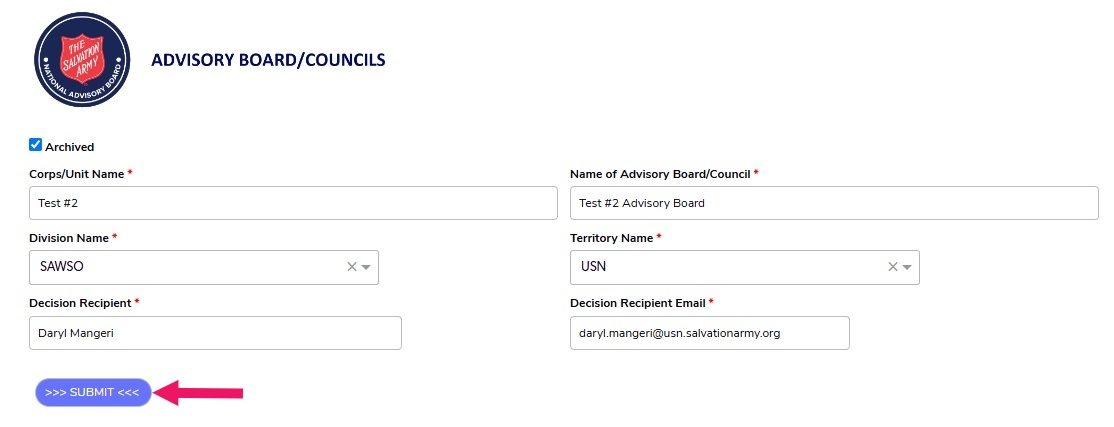
Begin your application by filling out the required fields as shown below. The name of your Advisory Board/Council should be the name you would like to appear on your Standards of Excellence Silver or Gold award certificate. The "Decision Recipient" is the individual who will receive notifications during the application process. This may differ from the person who submits the application.
Please read the Instructions for Submitter shared below.

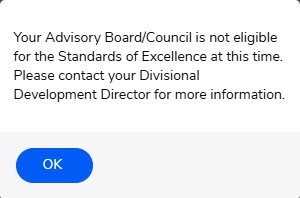
Pay special attention to the mandatory requirements for each type of advisory organization. For Advisory Boards/Councils, answers to questions #1 & #2 must be "Yes" to continue. For Echelon chapters and Women's Auxiliary units, question #1 must be "Yes" before continuing in the application process. An alert dialog box will appear if the mandatory requirements are not met.
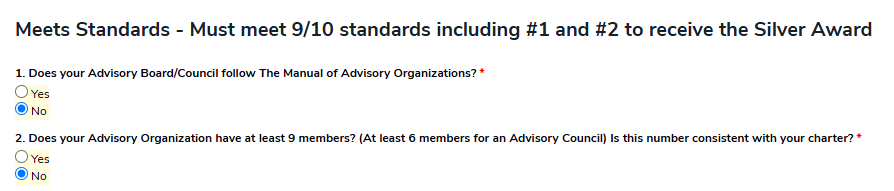
New Alert!
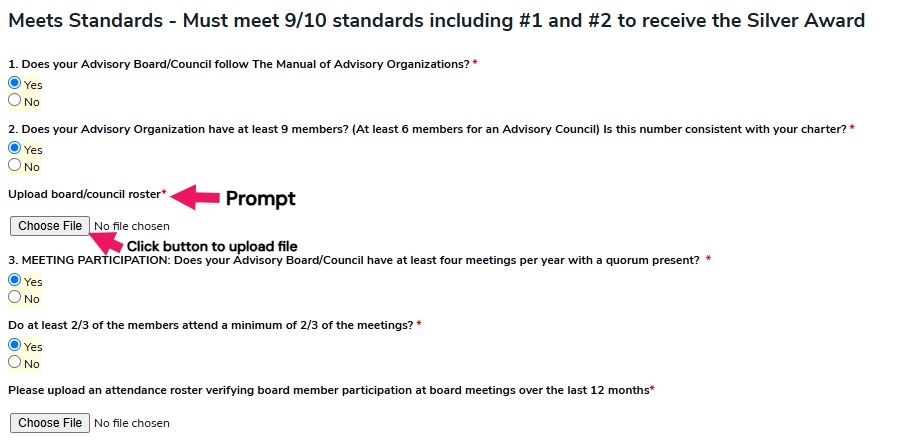
Document uploads are based on Standards of Excellence requirements for each type of advisory organization - Advisory Boards/Councils, Echelon, or Women's Auxiliary. *After responding to each question by choosing either "Yes" or "No", you will be prompted if an upload is required. If one is required, click on Choose File to select the file on your computer that corresponds to this question and upload the document.
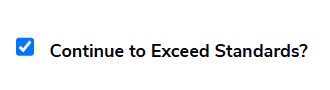
After responding to all of the questions for the Meets Standards requirements (Silver Award), you will be asked if you want to apply for Exceeds Standards certification (Gold Award). Simply click on the box next to Continue to Exceed Standards (see below).
If you choose to only apply for Meets Standards certification (Silver Award), click on Save & Close in the upper right-hand corner of the screen. If you missed answering a question or did not upload a required document, you will be prompted to do so before continuing.
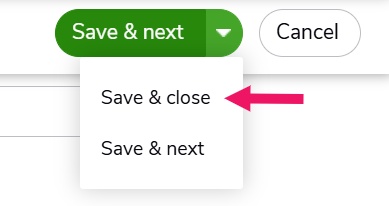
After clicking on Save & Close, click the Submit button below the Decision Recipient text box to begin the review process. The Created By field will automatically populate with your email address, and the application will move to the divisional approver for review. Follow the same steps when applying for Exceeds Standards certification (Gold Award).
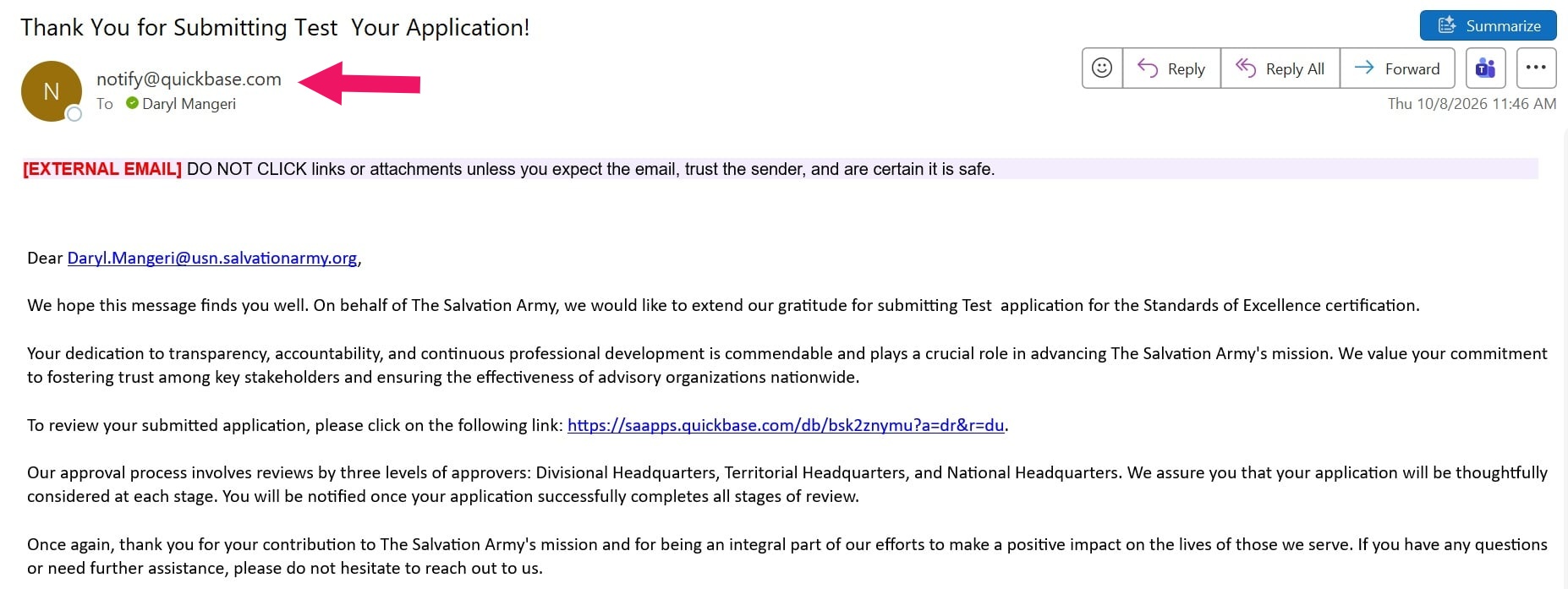
After submitting your application, you will receive an email notification from [email protected]. You will also receive email notifications when the application is either approved, denied or if additional information is needed to aid in the review process.