
Microsoft Azure - Extract Detail List of Resources
1
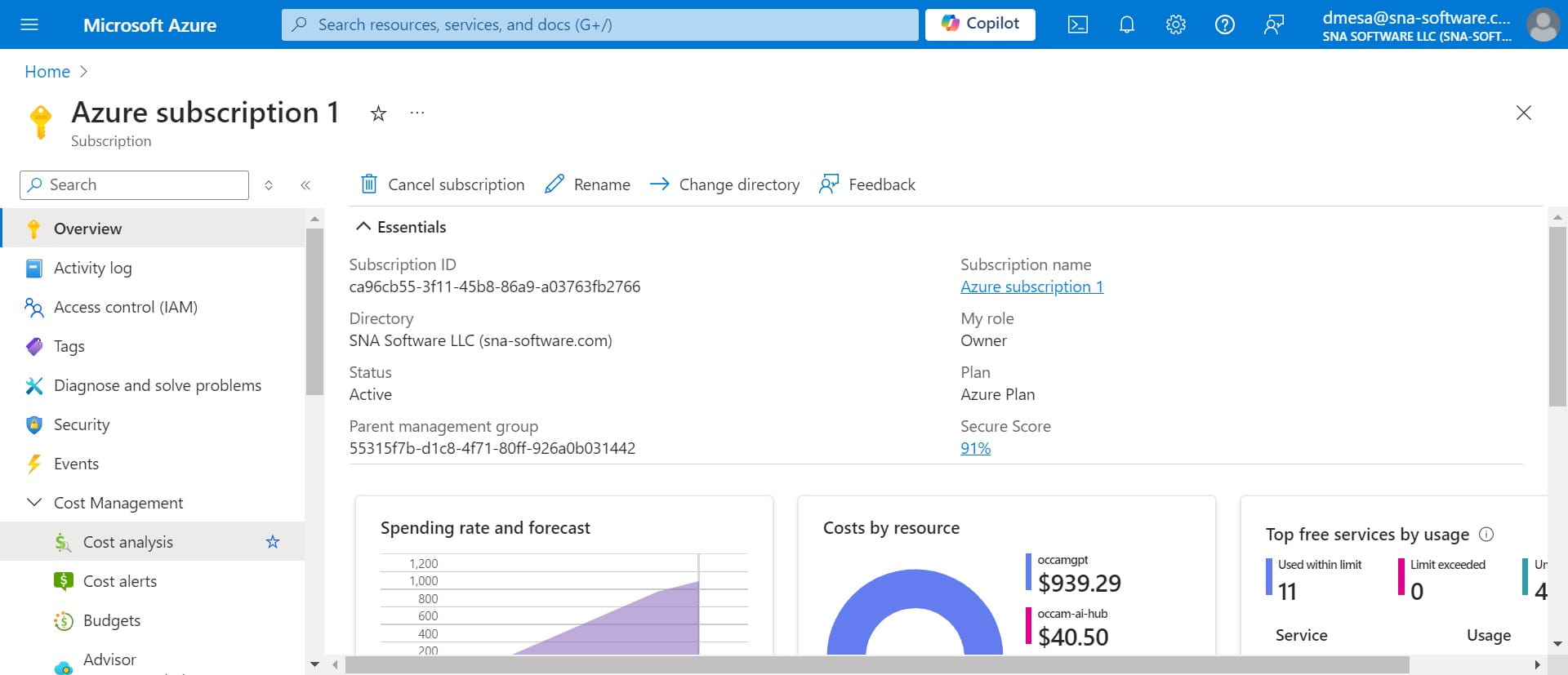
Click on "Cost analysis"
2
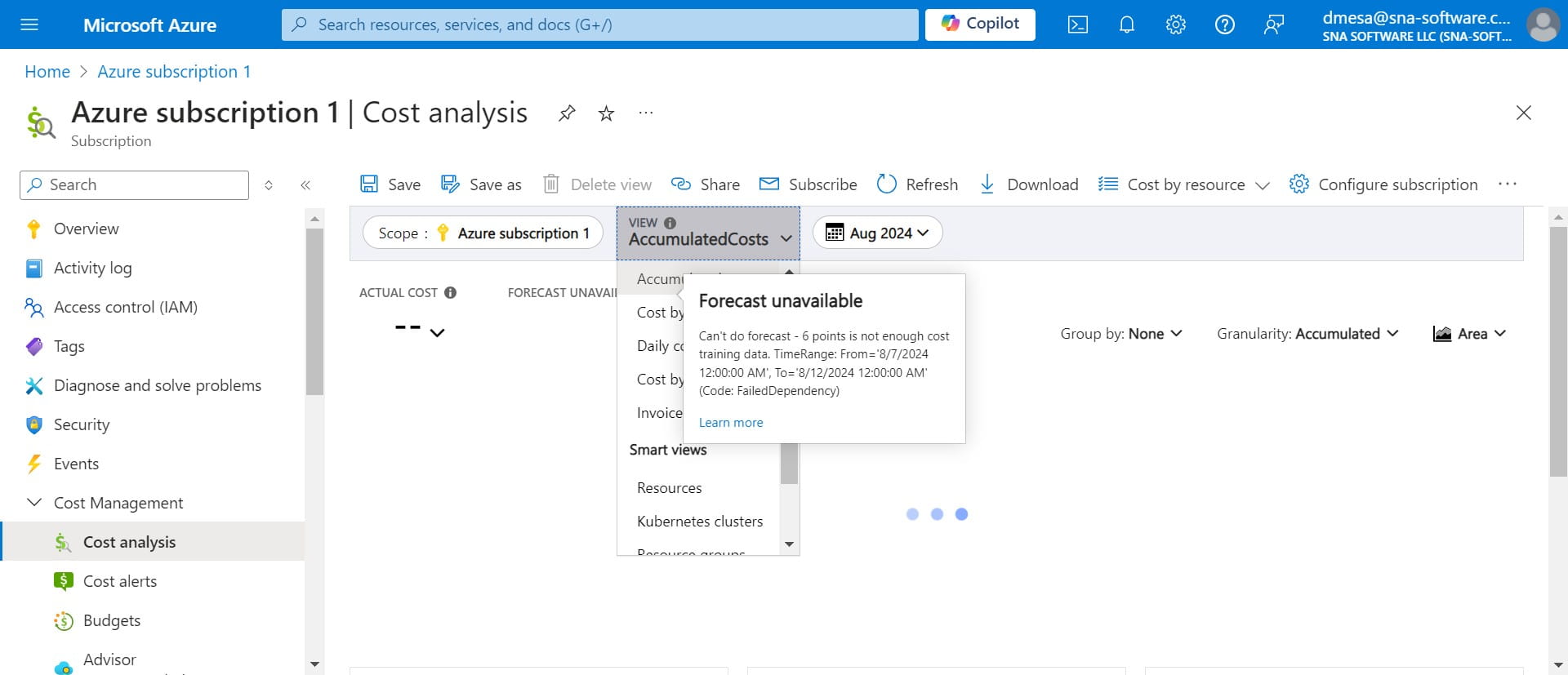
Click on the drop down arrow on the "View" AccumulatedCosts tab.
3
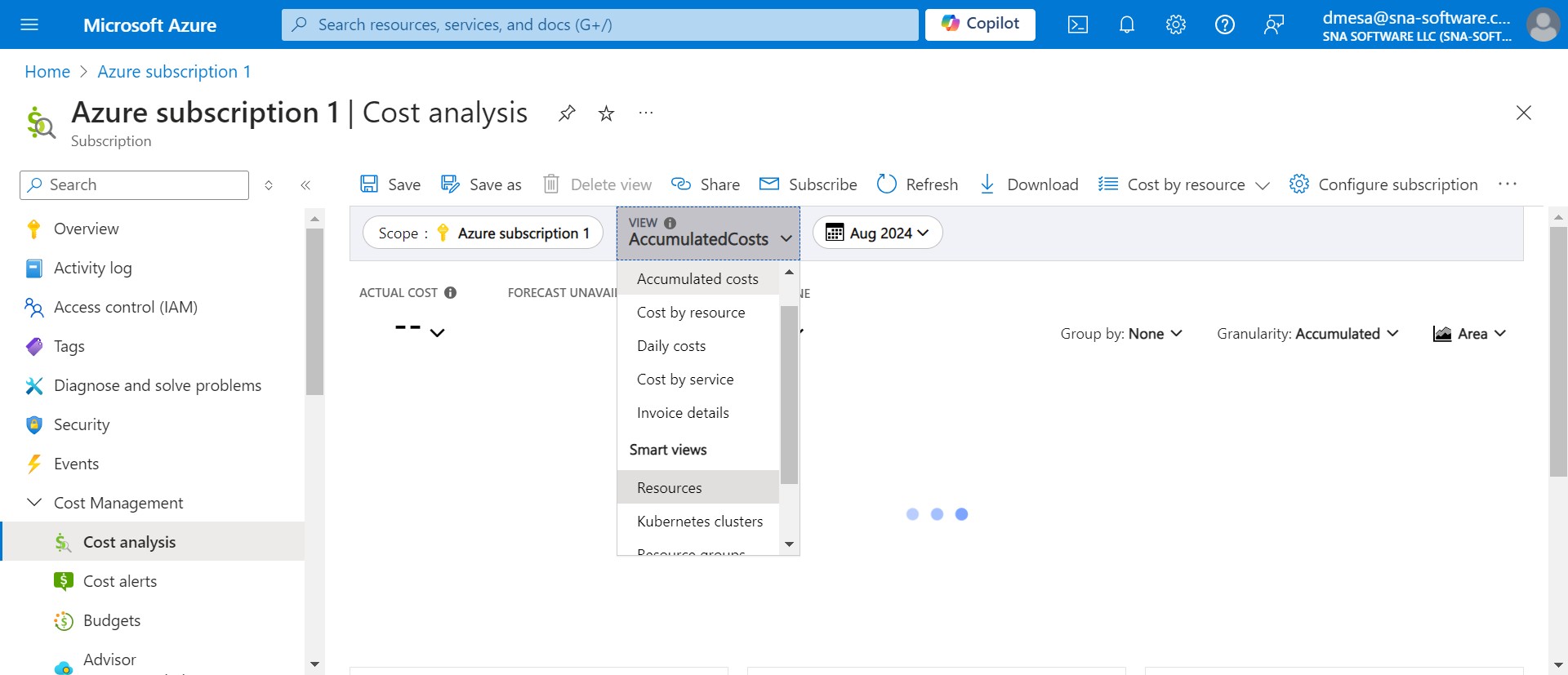
Click on "Resources"
4
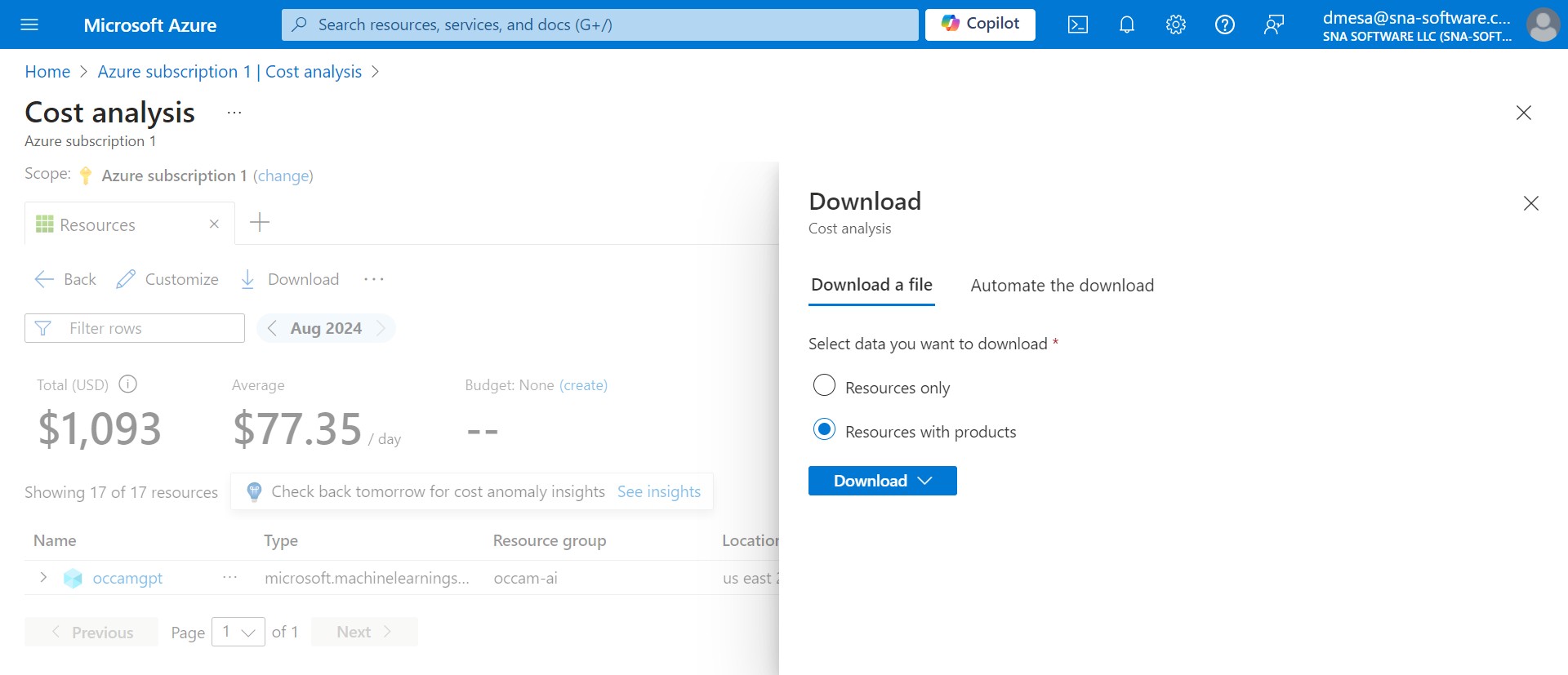
You can select one of the options to download in either xls or csv. Done 🚀
Click on "Cost analysis"
Click on the drop down arrow on the "View" AccumulatedCosts tab.
Click on "Resources"
You can select one of the options to download in either xls or csv. Done 🚀