

Facebook & Instagram Import Accounts
Import Facebook and Instagram accounts
CheifBot is mainly Facebook and Instagram based marketing application
Importing Facebook and Instagram accounts into Cheifbot is easy and straightforward. Just follow the instructions, and you can import Facebook and Instagram accounts in no time.
After Signining-up 📝 the Cheifbot. Login with same credentials 🔑
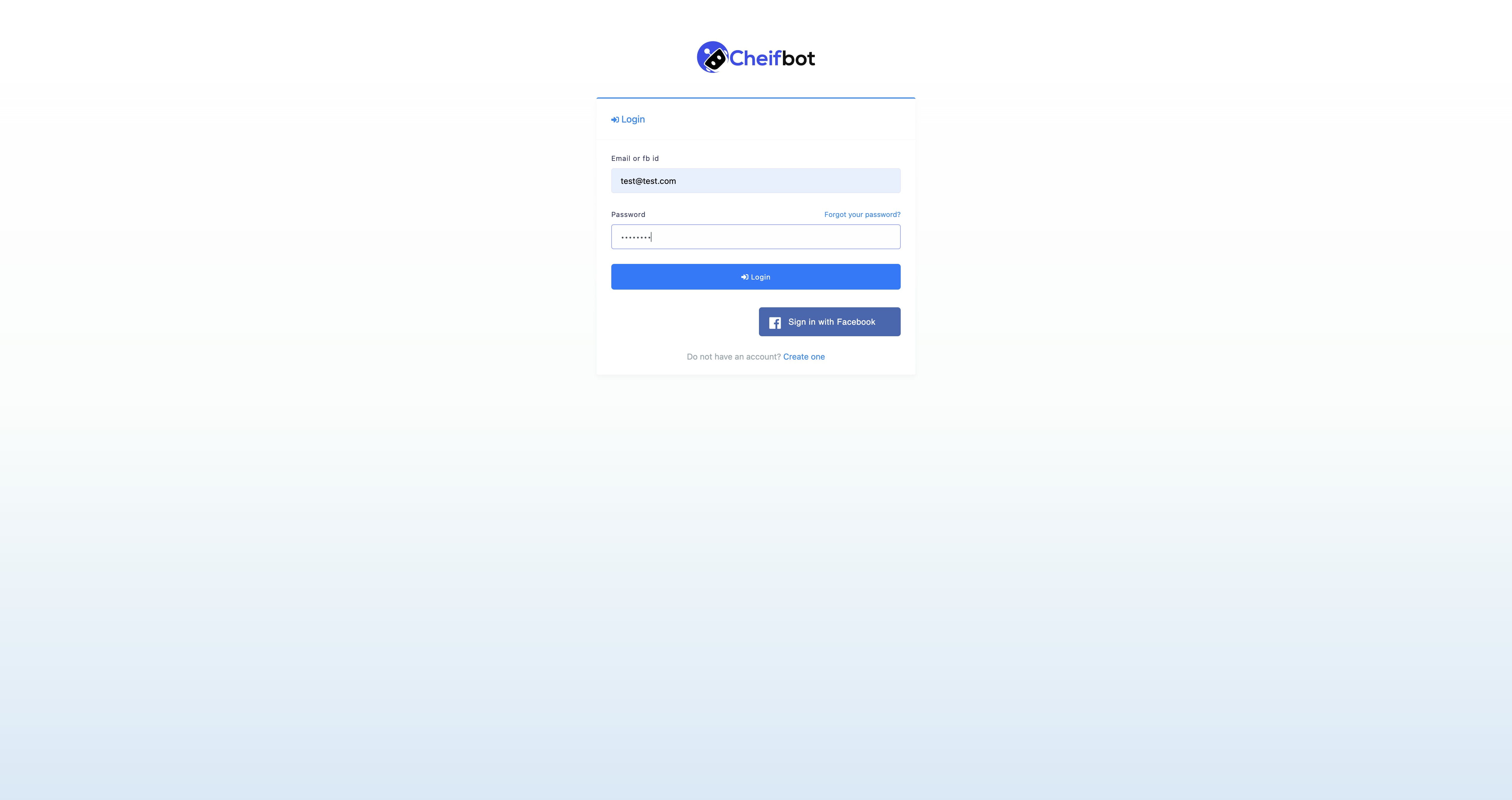
🔍 Go to CheifBot's dashboard and select "Connect Accounts" from the sidebar.
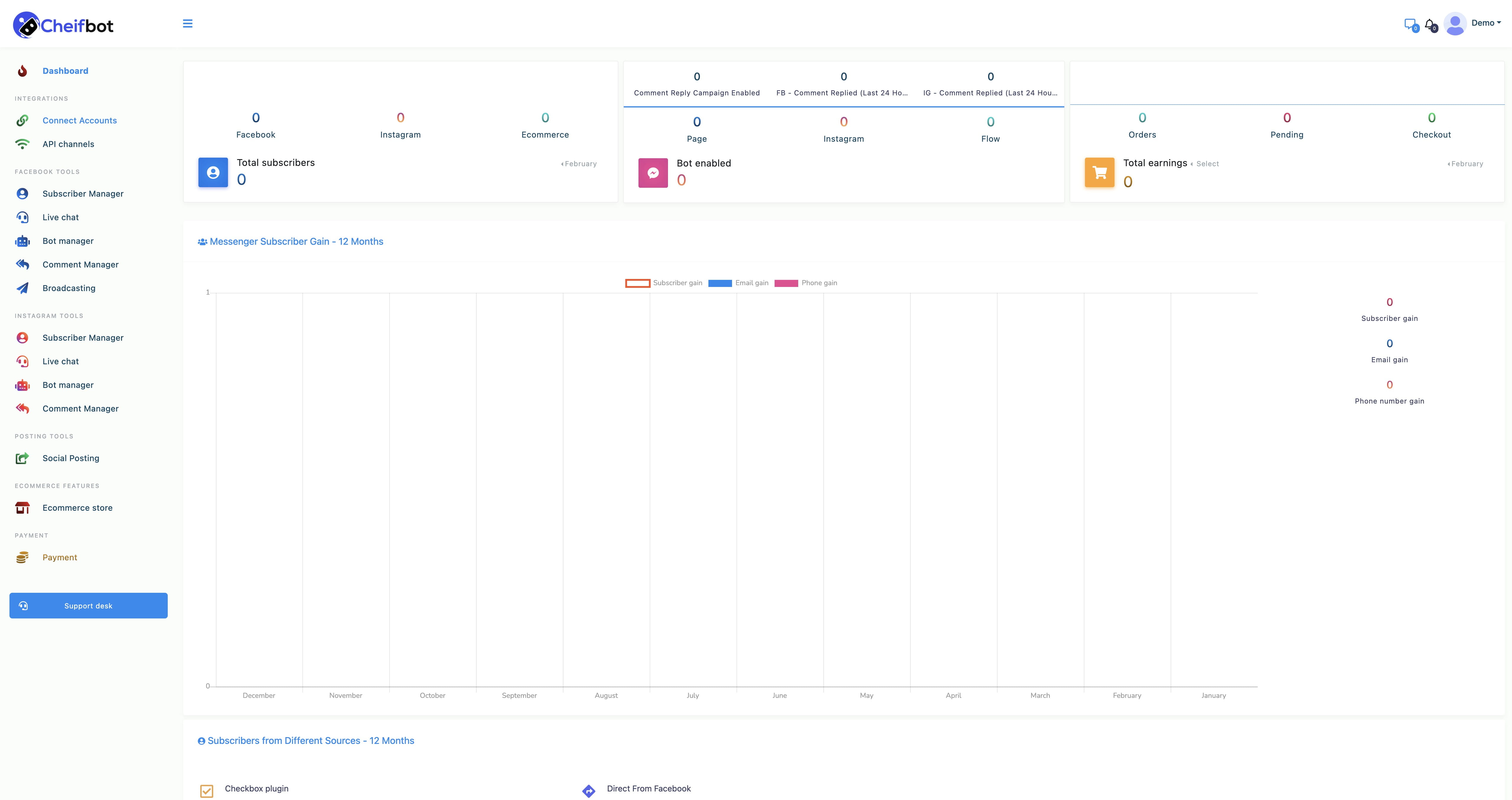
Instantly, a page called connect Facebook and Instagram will appear with a button called Login with Facebook.
Note that, to import Facebook and Instagram accounts, Facebook(Logged In) has to be opened on another tab of the same browser.
Well, now click on the Login with Facebook buttonClick "Login with facebook" ✅
🔒 Opt-In which business pages can be accessed with CheifBot's opt-in feature.
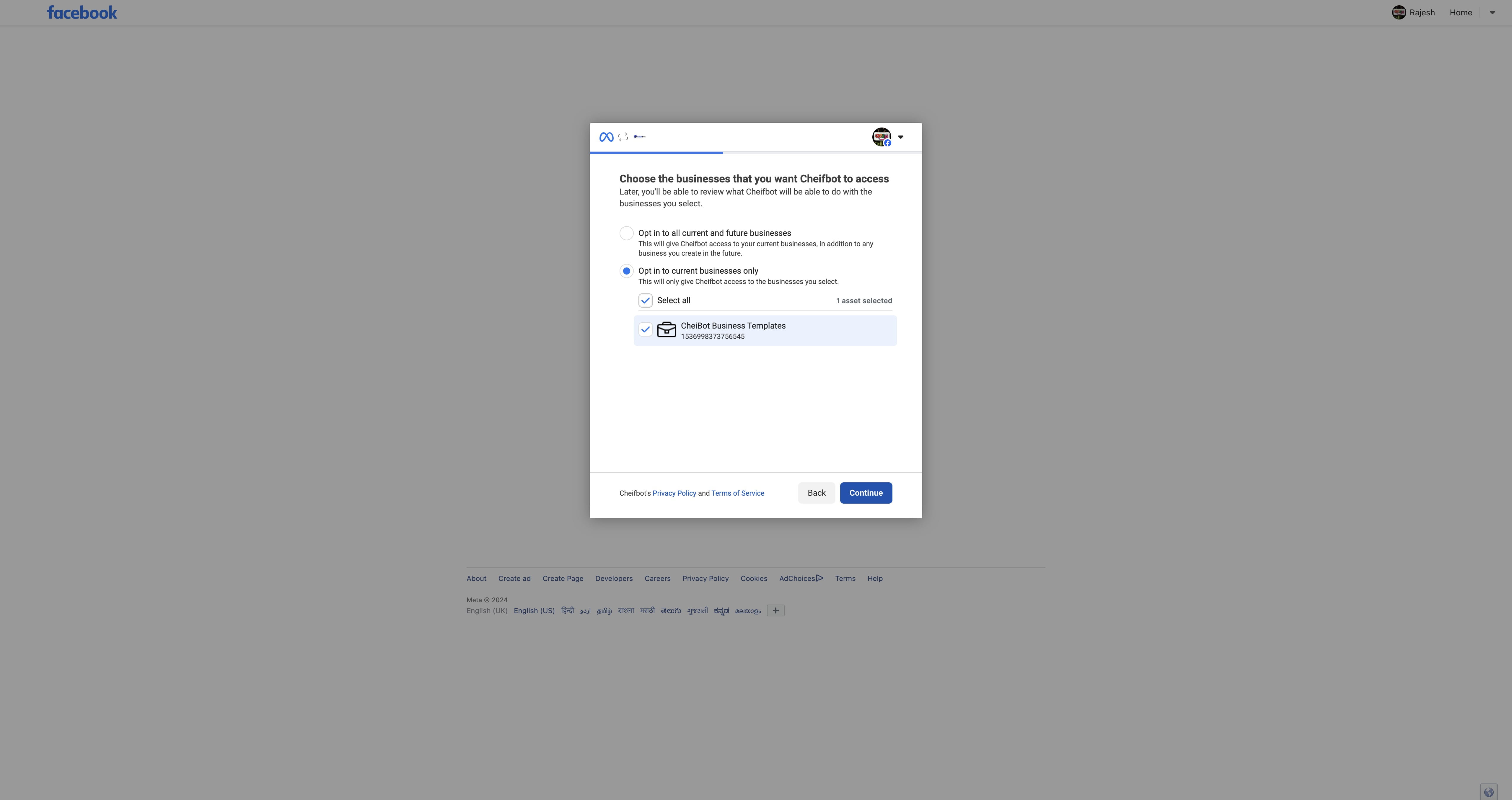
Click on "Continue" ➡️ and select all pages 📄
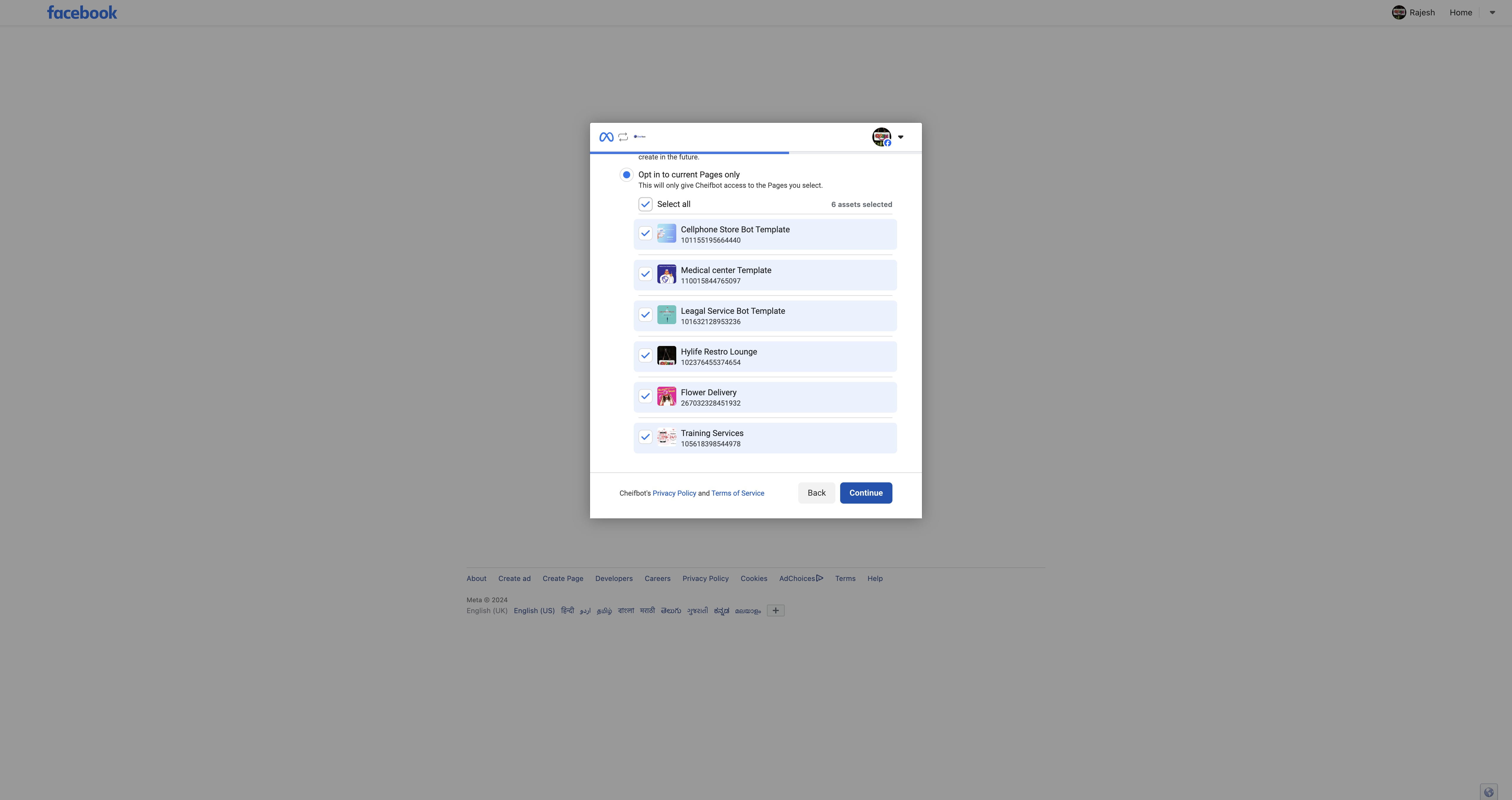
Done 🚀. We can see all Facebook and Instagram pages 📄📸 are loaded. Enable ✅ which one you want to configure for Bot & Ecommerce 💼.
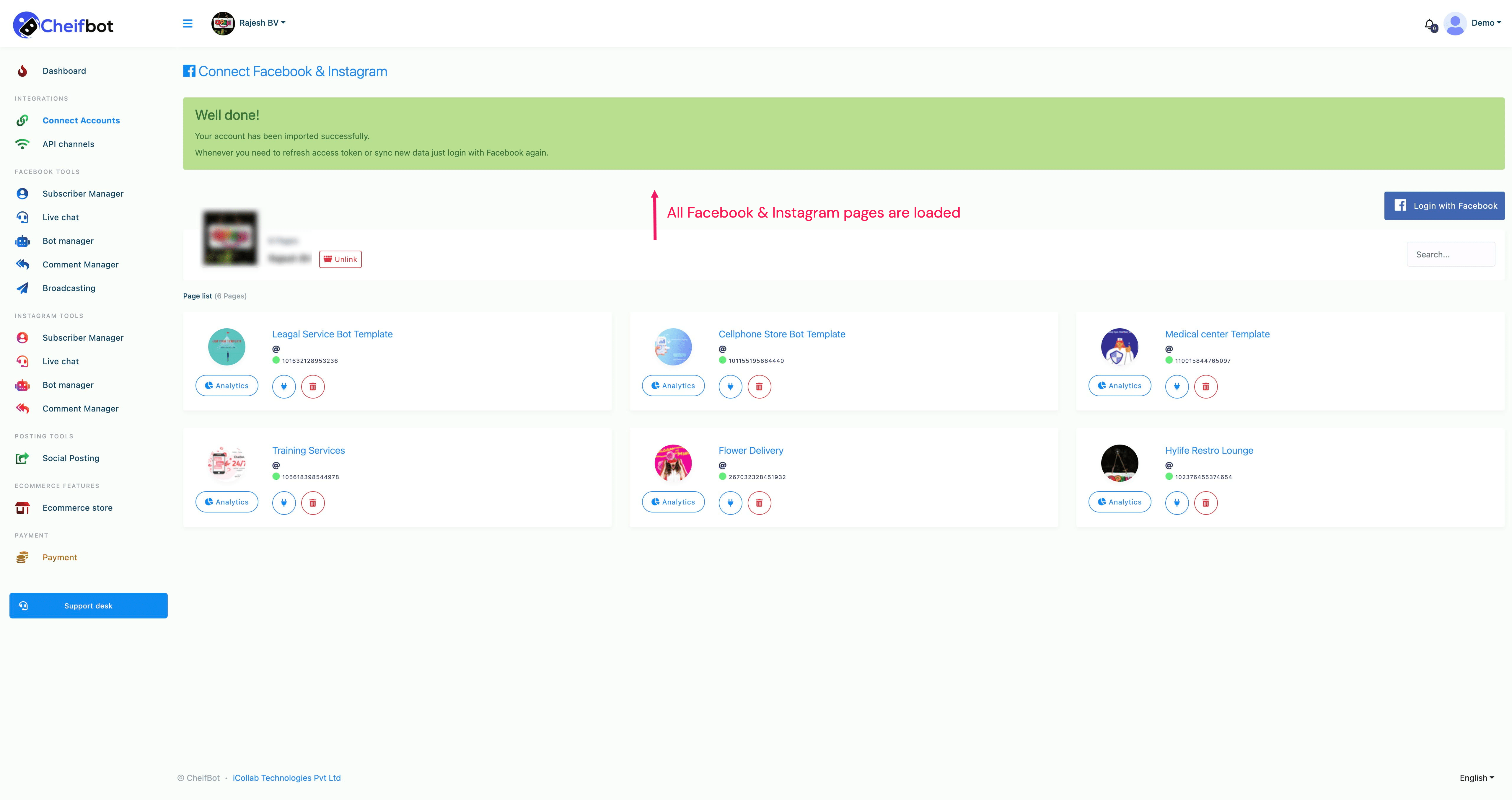
Instantly, the Connect Facebook and Instagram page will appear with a successful message and Facebook profile and Facebook page. Under the Facebook pages, you will see two buttons — the plug button and the delete button.