Interactive product tour software
Show your product instead of describing it. Put interactive walkthroughs in your feature pages, launch posts and campaigns, so people see exactly how it works and know where to start.






7-day free trial on every paid plan
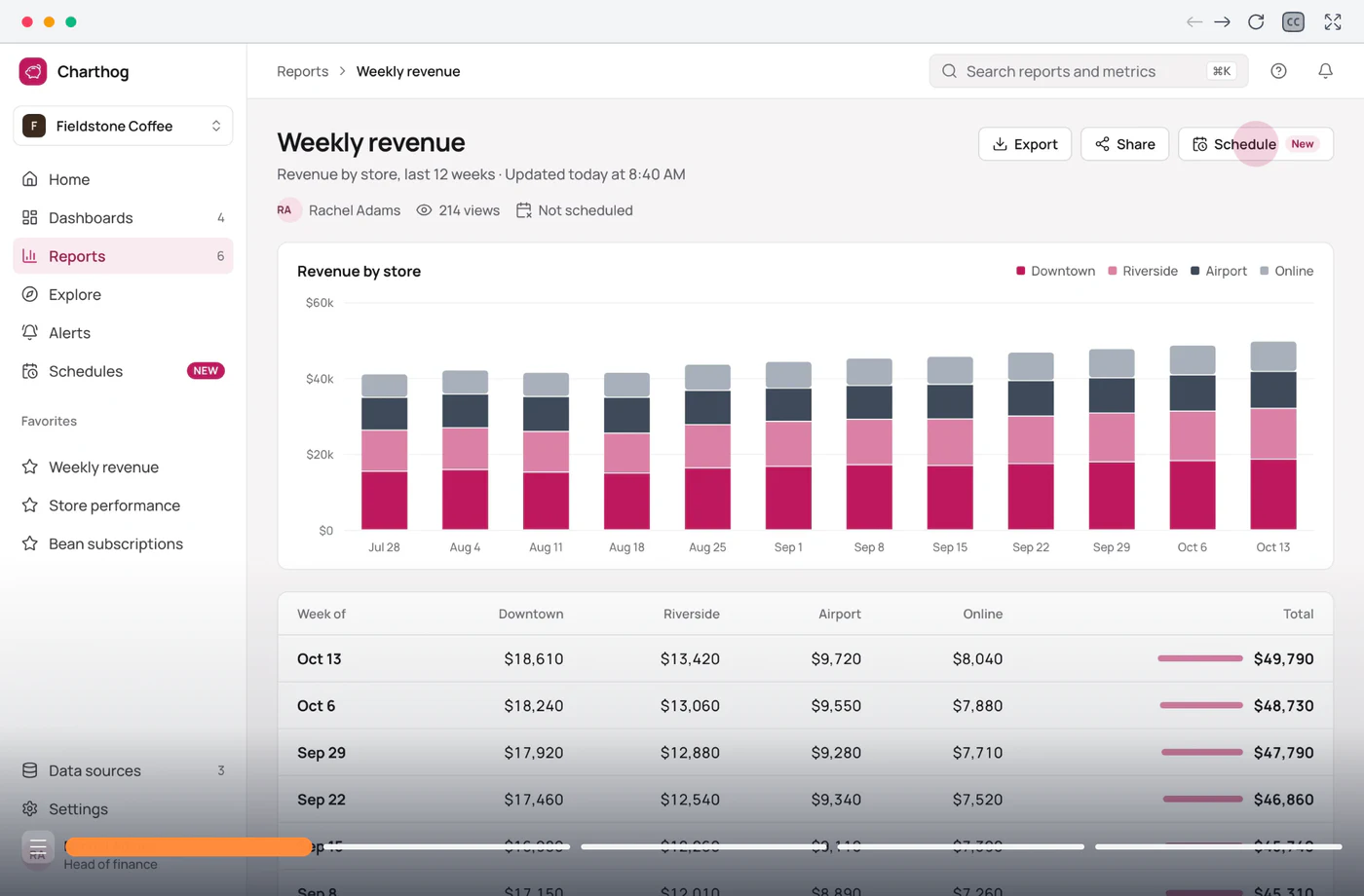
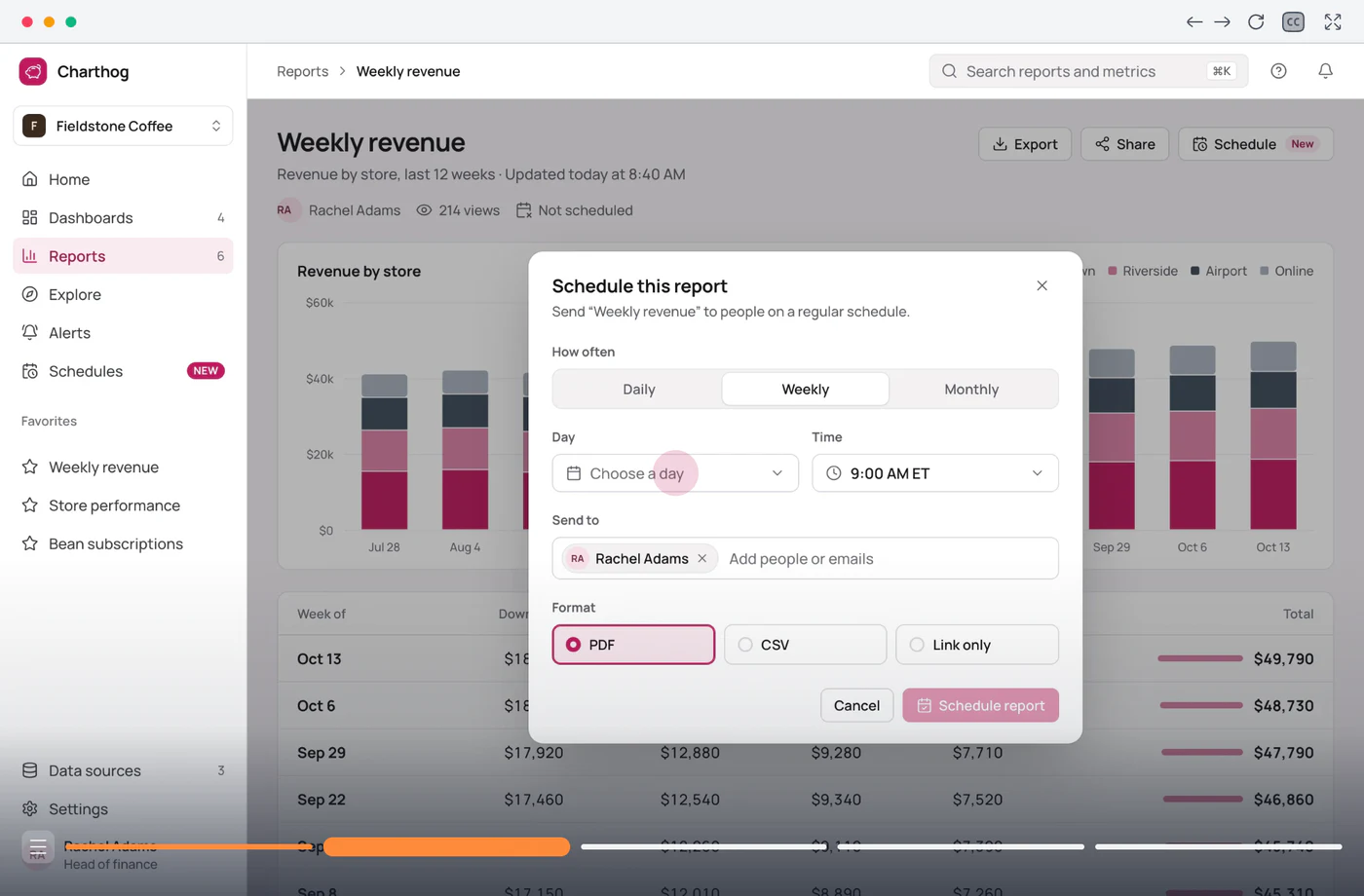
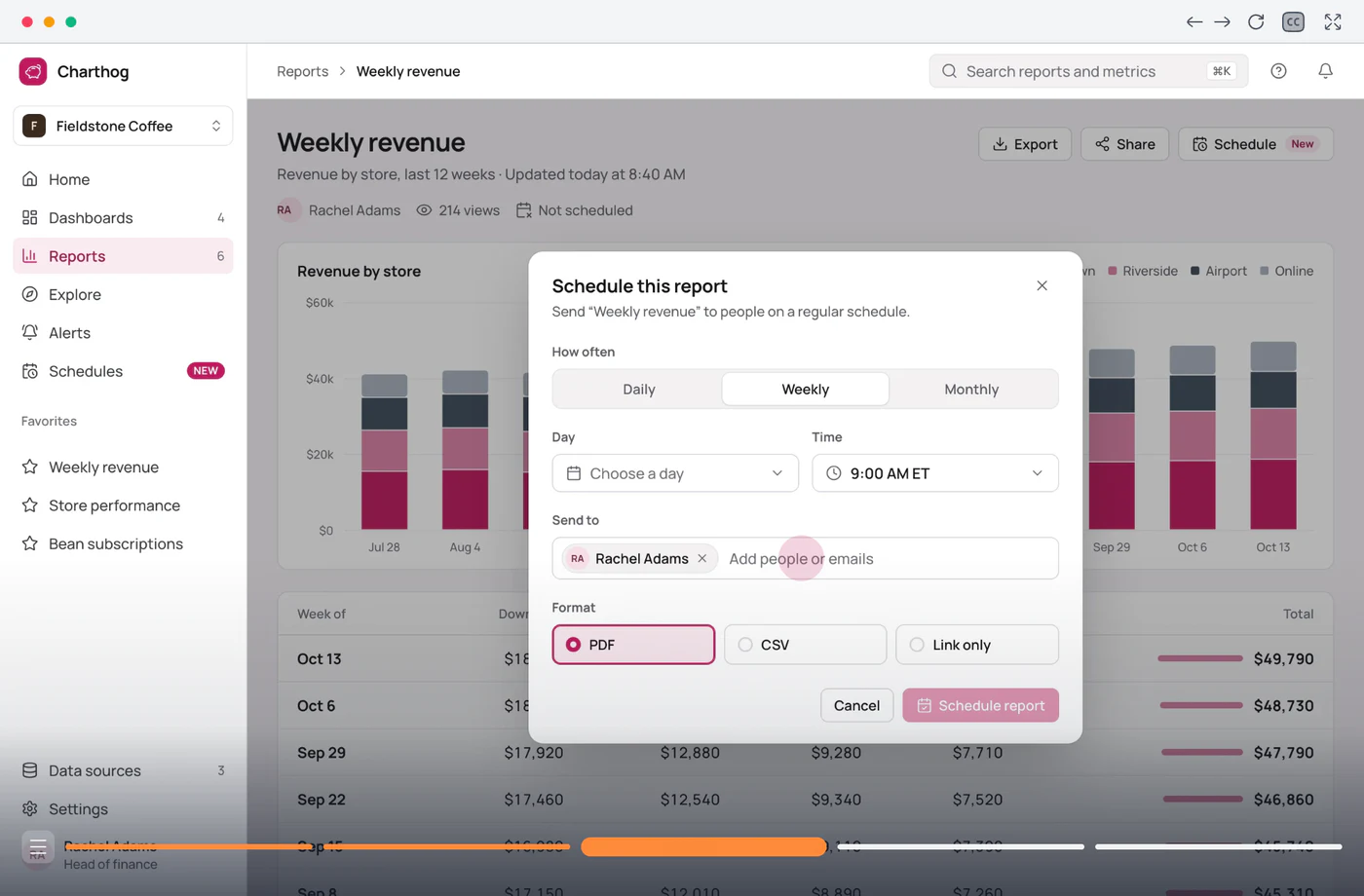
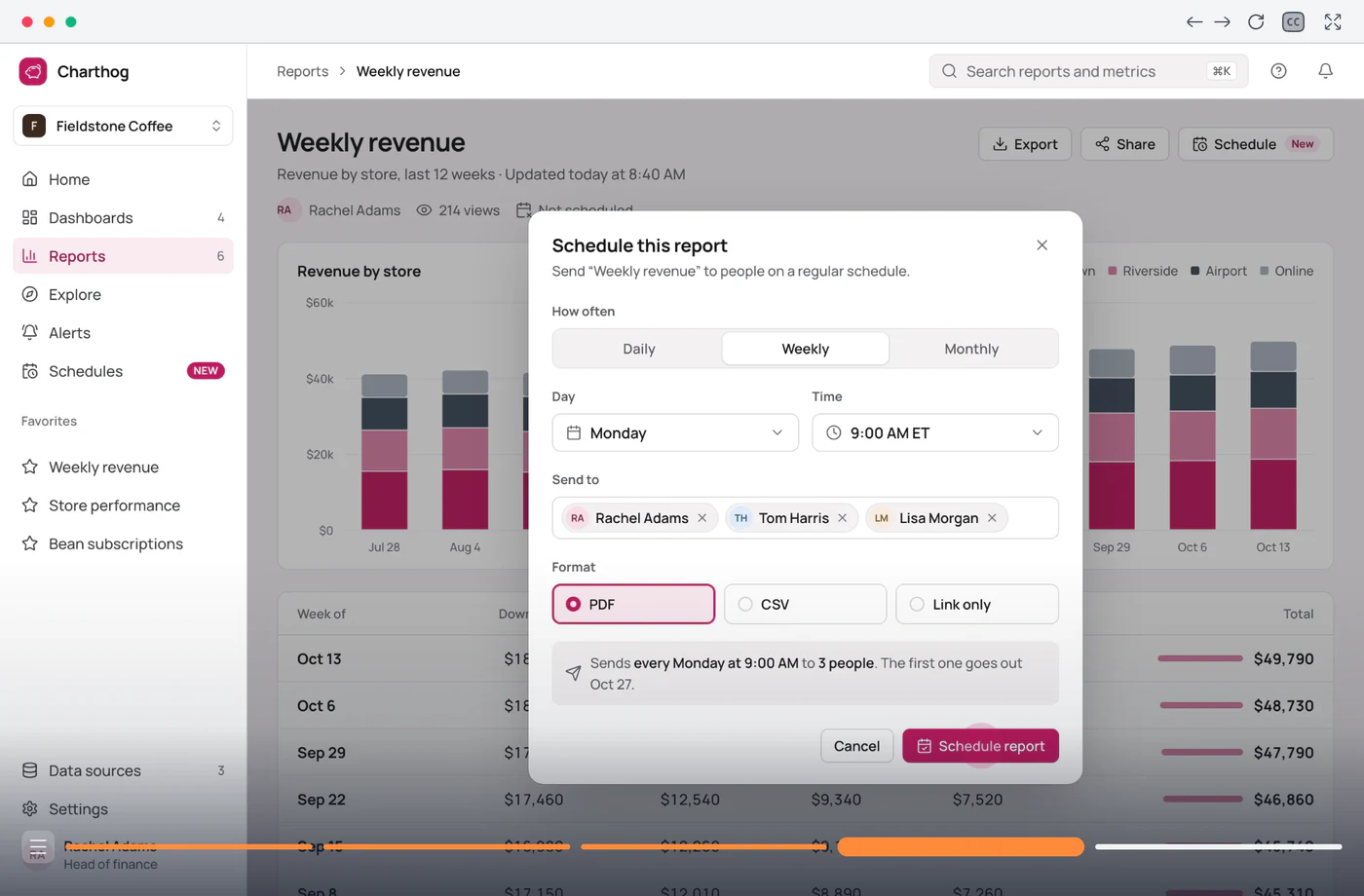
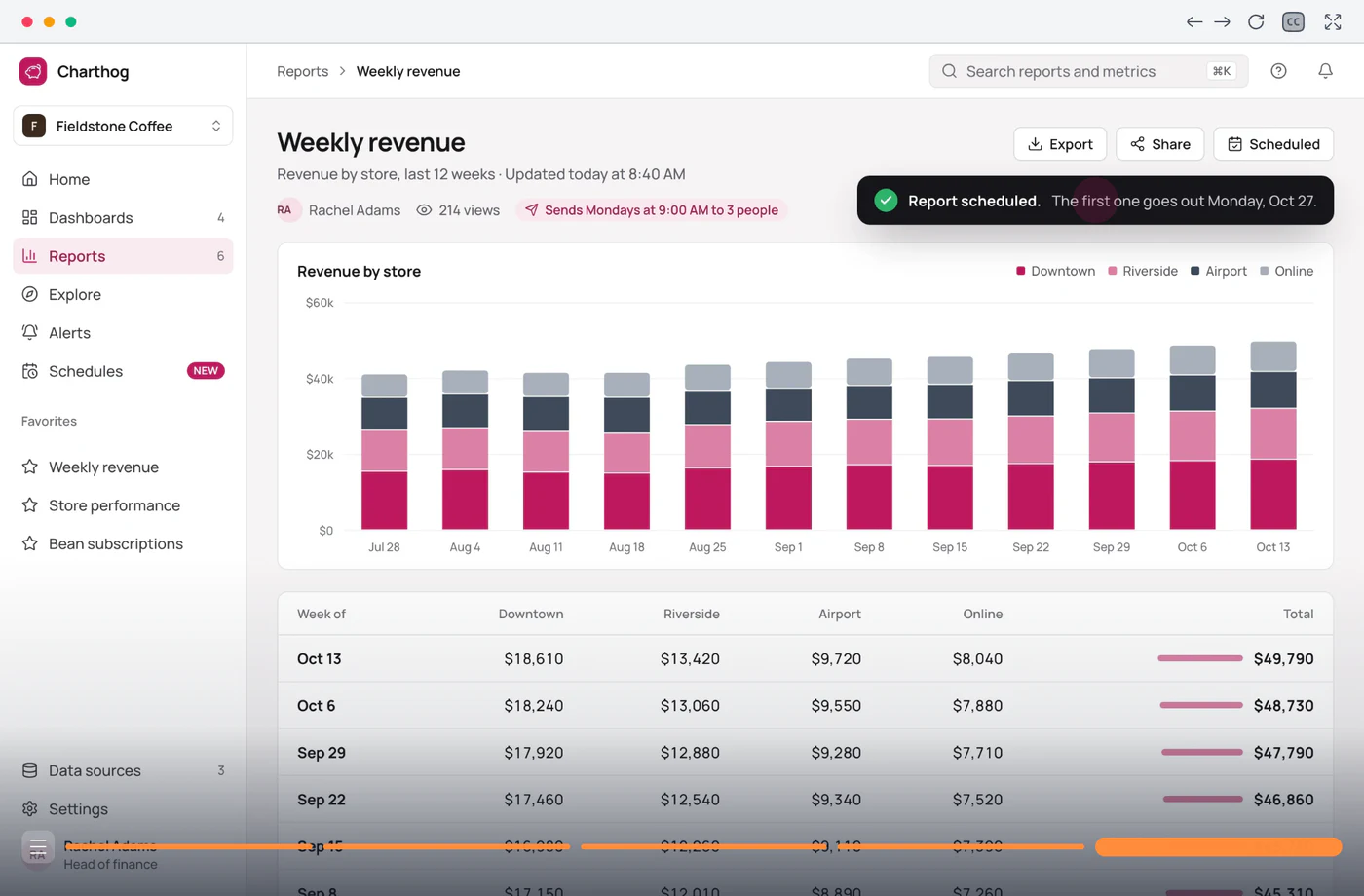
Open the Weekly revenue report and click Schedule.
Trusted by teams worldwide









Why product stories fall flat
Your product does more than most people realize. This is where the message usually gets lost.
Features don't click.
A blog post or feature page can say what a feature does. It can't show where the button is or why the new flow saves ten minutes. Readers nod along and never try it.
Screenshots get skimmed.
Feature pages, emails and one-pagers all lean on static screenshots. Most readers scroll past them and remember the headline, if anything.
One story for every persona.
An admin and an end user care about different parts of the same feature. A single static asset can't speak to both, so it ends up speaking to neither.
No idea what landed.
Page views say someone opened the page. They don't say whether people understood the feature or gave up halfway through.
From the message to the proof
One recording carries the whole story

Plan the story around the product
Map the flow you want people to see, then record it once. Chapters and branches let each persona see the part that matters to them.
- Chapters for each part of the story
- Branches for different personas
- Each viewer's name and company, filled in for them

Publish once, then see what landed
Embed the walkthrough in feature pages, launch posts, the changelog and the help center. Analytics shows how far people get and where they stop.
- One embed code for any page
- Views and completion for every step
- Fix a step once and every copy updates

Build an interactive product tour
From a feature to a tour people click through
Step 1 of 4
Record the flow.
Walk through the feature once, the way you would show a customer. You end up with a tour that points people straight at what matters.
Product tours that tell the story
A path for each persona, a voice for every step
Add buttons to a step so an admin and an end user each jump to the part that matters to them. Another button can send people to pricing or signup.
Explore Conditional branchingSwap in a viewer's name or company when they open the link, so a campaign tour reads as if it was made for them.
Explore Dynamic variablesEvery step gets a natural-sounding voice in 30+ languages, so people can listen along instead of reading every line. Add background music to set the mood for the whole walkthrough.
Explore AI voiceover
“Completely transformed the way we create product tutorials.”
Frequently asked questions
Can’t find what you’re looking for? Email us at [email protected].Guidejar for other teams: Internal Wiki, User Onboarding, Sales Enablement, Customer Self-Service
An interactive product tour is a click-through version of a product flow, built from real screenshots of your product. Viewers move step by step, see exactly where to click and finish in a minute or two, without signing up or installing anything.
It records a flow in your product and turns it into a tour people can click through on your website, blog or docs. Guidejar does this from one recording, and the same capture also works as a written step list for your help center.
Feature launches and release notes, feature and product pages, campaign emails, adoption pushes for features people haven't found yet, and webinars or social posts as an MP4 video. One recording works in all of them.
Anywhere that accepts an embed: your website, blog, changelog, docs or knowledge base. You can also share it as a link or a QR code, or export it as a PDF or an MP4 video.
No. You'll use Guidejar's Chrome extension or desktop app to record the flow, let AI tidy up the wording, and copy the embed code. There's nothing to build.
Yes. Branching buttons let viewers choose a path, and dynamic variables fill in details such as a name or company when someone opens the link.
Yes. Export any walkthrough as an MP4 with voiceover and subtitles. The video comes from the same recording, so you don't capture the feature twice.
Yes. Translate a guide into 35 languages with AI, and viewers see the version that matches their browser language when one exists.
Plans start at $19 per creator a month with discounts for yearly billing. Every plan has a 7-day free trial, and you can learn more on our pricing page.
From announcement,
To adoption.
Put a walkthrough where people already read about your product, so they know exactly where to start.