Customer self-service software
Give customers a help center that answers with the exact steps, so the same easy questions stop landing in your queue.






7-day free trial on every paid plan
Ask AI
Get answers to your questions from the knowledge base
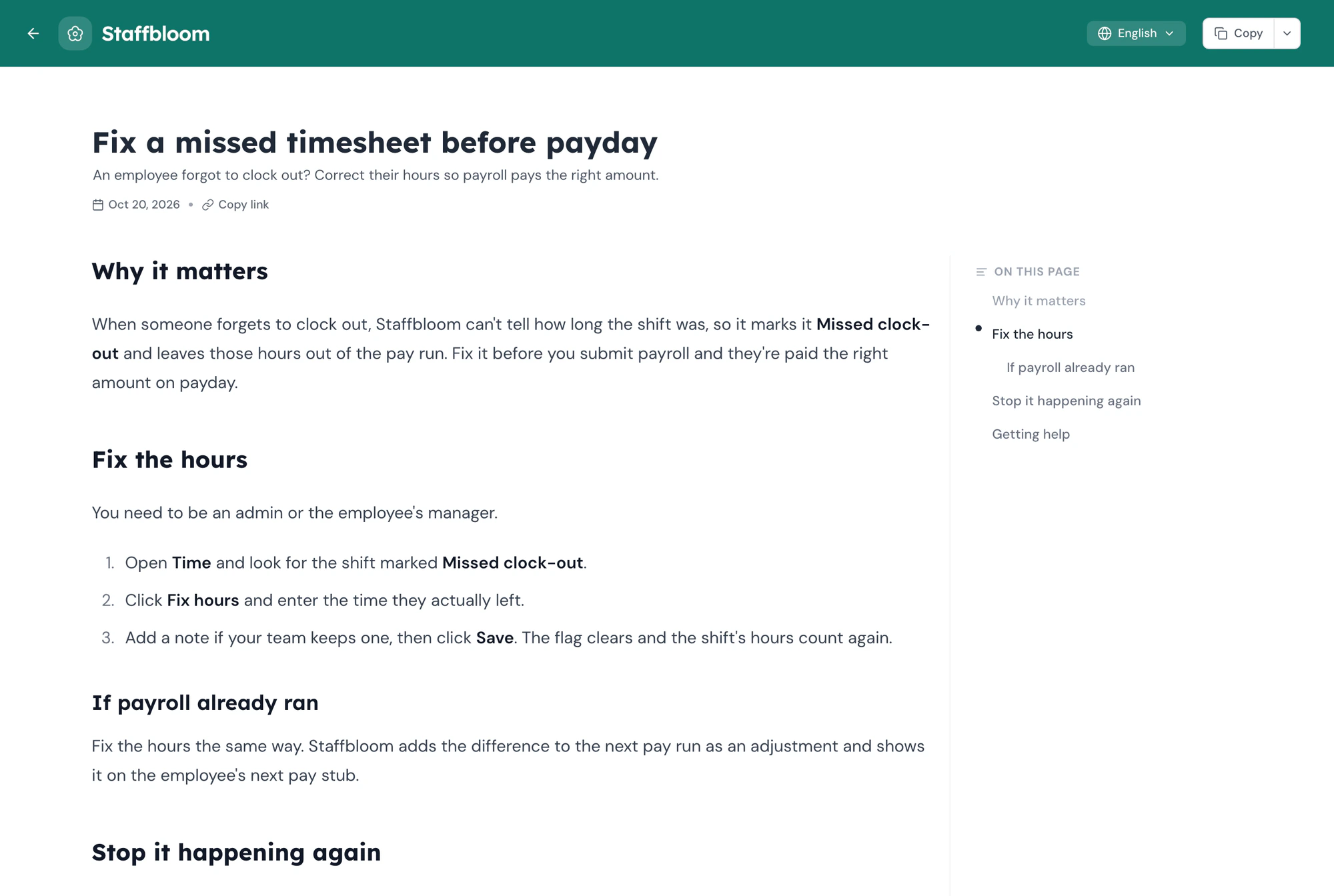
Someone forgot to clock out yesterday. How do I fix their hours?
You can fix it from their timesheet before you run payroll:
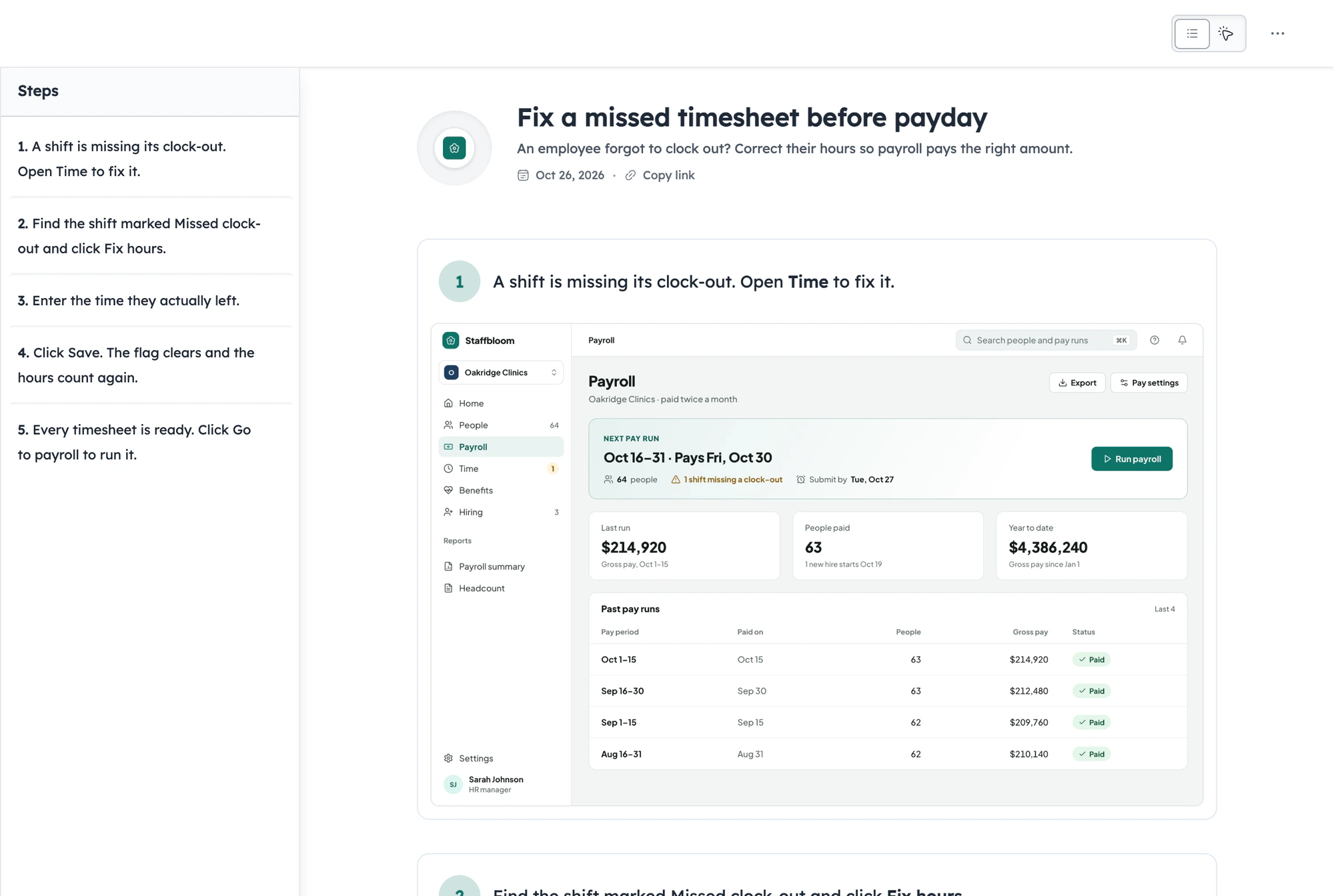
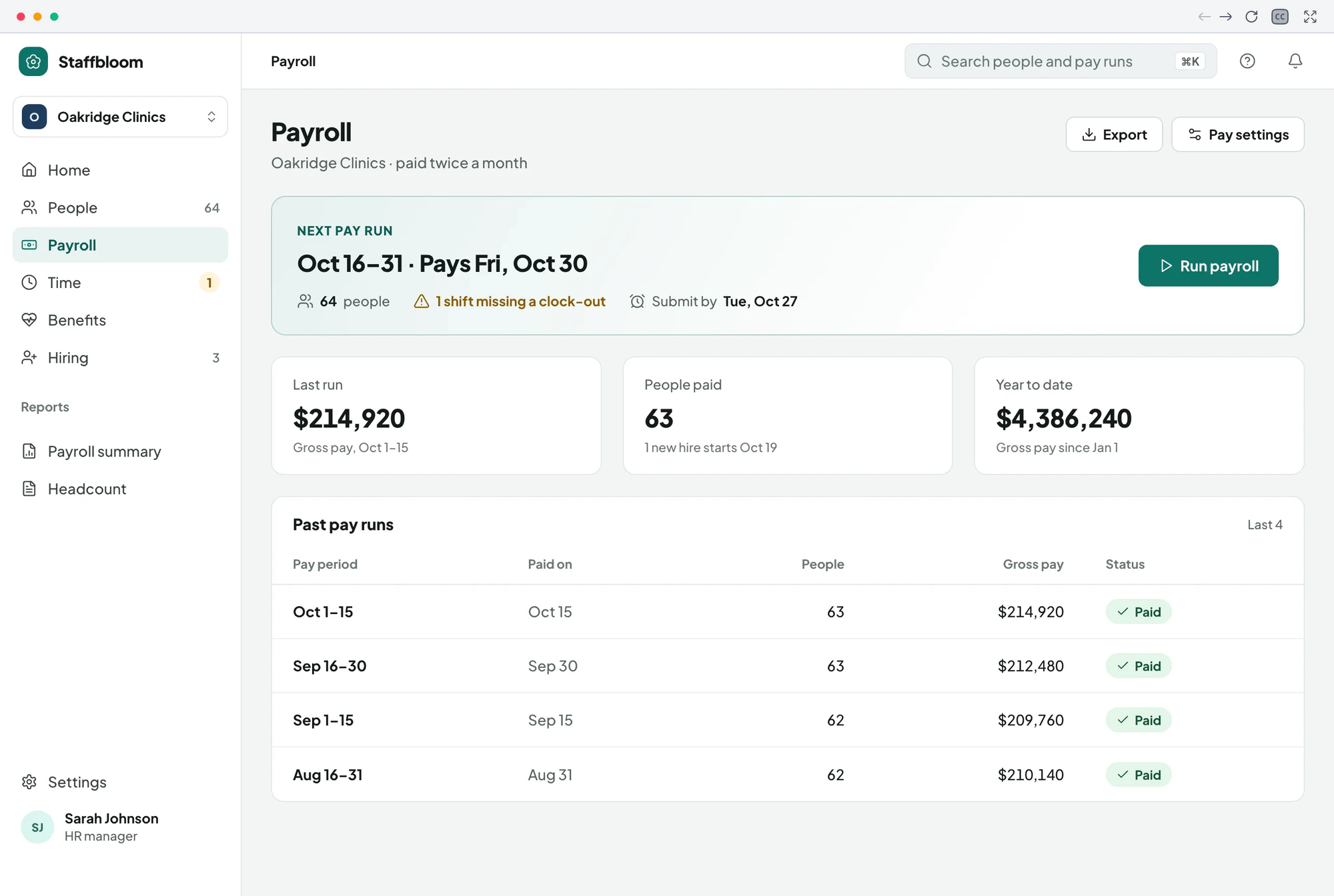
- Open Time and find the shift marked Missed clock-out.
- Click Fix hours and enter the time they actually left.
- Click Save. The hours update and the flag clears, so the pay run picks up the right total.
2 SOURCES
Ask AI…
Trusted by teams worldwide











Why customers open tickets they could solve
Most tickets aren't hard questions. They're the same easy ones, asked again because the answer was hard to find or hard to follow.
The answer is hard to find.
The answer exists somewhere, in an old article or a macro only your team can see. Customers search once in their own words, find nothing, and write in.
Text-only articles lose people.
Five paragraphs describing which button to press, with no picture of it. Customers get halfway, aren't sure they're on the right screen, and ask you to check.
Docs fall behind the product.
The product ships a new menu, the article still shows the old one, and every customer who follows it ends up in your queue.
The best answers are stuck in replies.
Your agents write a great explanation every day, one customer at a time. None of it reaches the next customer with the same question.
Help on both sides of the ticket
For the customer who needs an answer, and the team that has it

Customers help themselves, right away
A customer stuck at 6pm doesn't have to wait for your team to come online. They search or ask in their own words, then follow the steps on their own screen.
- Answers at any hour, in their language
- Steps they can follow while they work
- Help inside your product, where they got stuck

Your team answers once, then gets back to the hard ones
When a question keeps coming up, record the answer once. The next time someone asks, the help center has already answered, and your team spends its day on the tickets that need a person.
- A guide drafted while you show the steps
- Send a link instead of retyping a reply
- Update a step in minutes when the product changes

How to set up customer self-service
From a repeat ticket to an answer customers find on their own
Step 1 of 4
Record the answer once.
Pick a question customers keep asking and walk through the answer in your product while Guidejar records. When you stop, the guide is already drafted, so writing it up takes minutes.
Self-service customers actually use
In your product, in their language, at their own pace
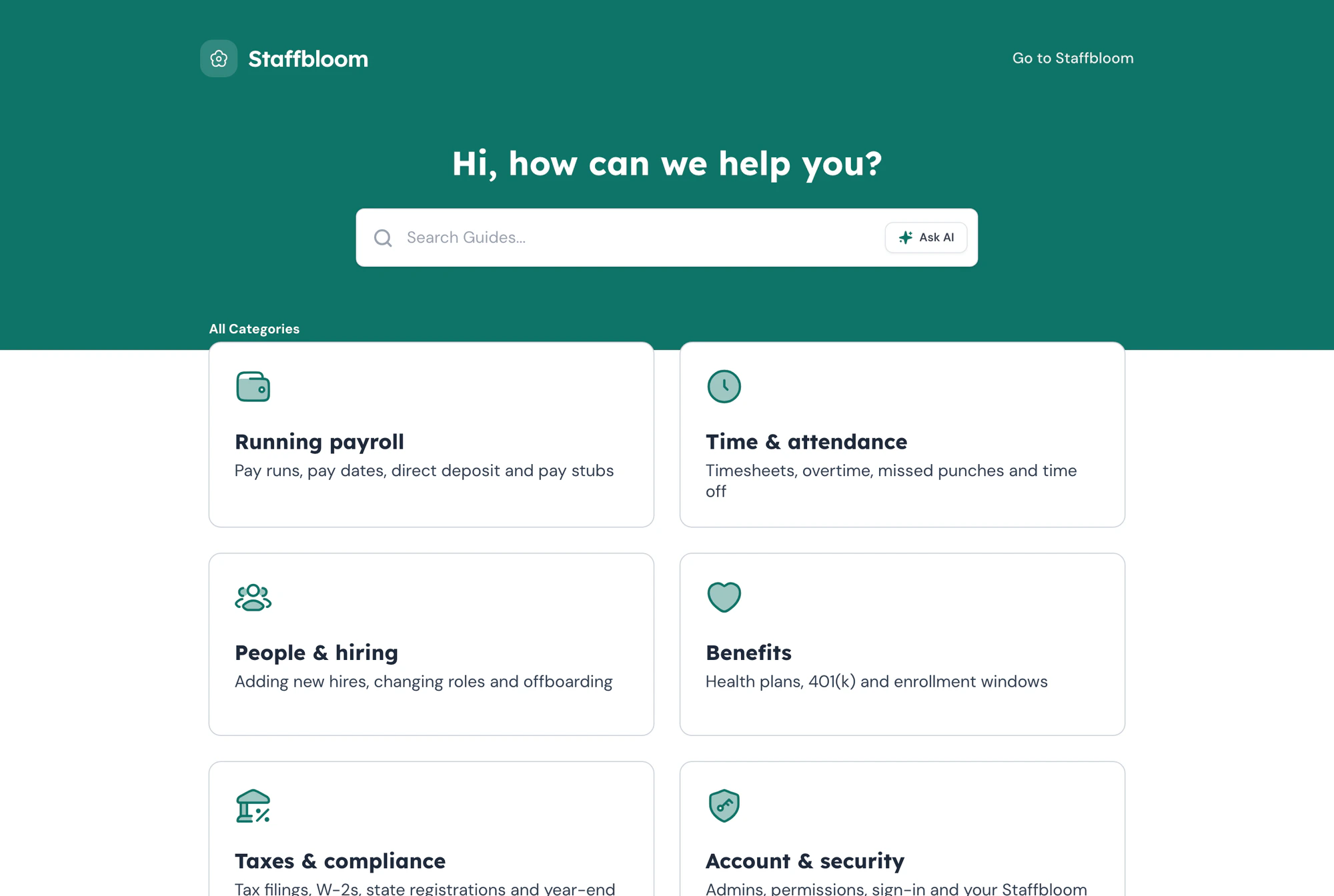
Add one script tag and a help button appears in your product. It opens your help center on the topic you pick, or Ask AI on its own, without sending customers to another tab.
Explore Help center widgetTranslate guides and articles into 35 languages. Each guide keeps one link, and it opens in the reader's browser language whenever a translation exists.
Explore AI translationEvery guide also plays as a walkthrough on the real screens of your product. Customers can click through it at their own pace
Explore Interactive walkthroughs
“Extremely easy to use and setup help center from scratch very quickly.”
Frequently asked questions
Can’t find what you’re looking for? Email us at [email protected].Guidejar for other teams: Internal Wiki, Product Marketing, User Onboarding, Sales Enablement
Customer self-service software is where customers find answers on their own: a help center, search, an AI assistant and how-to guides. In Guidejar each answer is a step-by-step guide or a walkthrough with screenshots, so customers can follow along in your product.
Most tickets are repeat questions with a known answer. When that answer is easy to find and easy to follow, customers sort it out themselves and don't write in. Ask AI picks up the questions search misses and links to the guide.
Ticket deflection is when a customer finds the answer in self-service instead of opening a ticket. A searchable help center, a help button inside your product and an AI assistant that answers from your guides all deflect tickets.
Yes. The help center widget adds a help button to your site or app with one script tag. It opens the full help center on a category you choose, or Ask AI on its own.
Only from the guides and articles published in your help center. Every answer links to the sources it used, so customers can open the guide and check the steps.
Yes. Use your own logo, colors and fonts, and serve the help center on your own domain, such as help.yourcompany.com.
Yes. Translate guides and articles into 35 languages. Readers can switch language in the guide, and it opens in their browser's language when a translation exists.
No. Customers reading your help center, the widget or a share link don't need a seat. Only employees who sign in to your Guidejar workspace to create guides need one.
Plans that include the help center start at $25 per month with discounts for yearly billing. Every plan has a 7-day free trial. See the pricing page for what each one includes.
Answer it once,
Let customers find it.
Turn the replies your team writes every day into a help center customers can search, ask and follow on their own.