MSP documentation software is where a managed service provider keeps what its technicians need to support each client: assets, credentials, network details and the procedures for recurring work. IT Glue and Hudu are the most complete of the eight tools compared here, and the only two that also record SOPs for you. IT Portal, ITFlow, NinjaOne Documentation and N-able Passportal cover the record-keeping at different prices and commitments. Confluence and Guidejar each do part of the job.
Prices and features below come from each vendor's own pages, read on November 26, 2026, with a link to each source. Vendors change both often, so confirm on the pricing page before you buy.
What is MSP documentation software?
MSP documentation software holds IT information for many clients at once and keeps each client's information separate. A technician opens a client and finds its devices, logins, network layout, licences, contacts and the written procedures for supporting it.
Three things set it apart from a general wiki such as Notion or OneNote:
- A structure per client. Every client gets the same layout, so a technician who has never worked on an account knows where to look.
- A password vault. Credentials are encrypted, access is limited by role, and the software logs who opened what.
- Sync with the tools an MSP already runs. Devices and contacts come in from the RMM and the PSA, so nobody types them twice.
Vendors define the category broadly. Hudu's explainer lists credentials and assets alongside "Process documentation: SOPs, onboarding checklists, KBs". The tools differ most on that second group.
What does MSP documentation cover?
MSP documentation comes in two kinds. Records describe what a client has. Procedures describe how the work gets done.
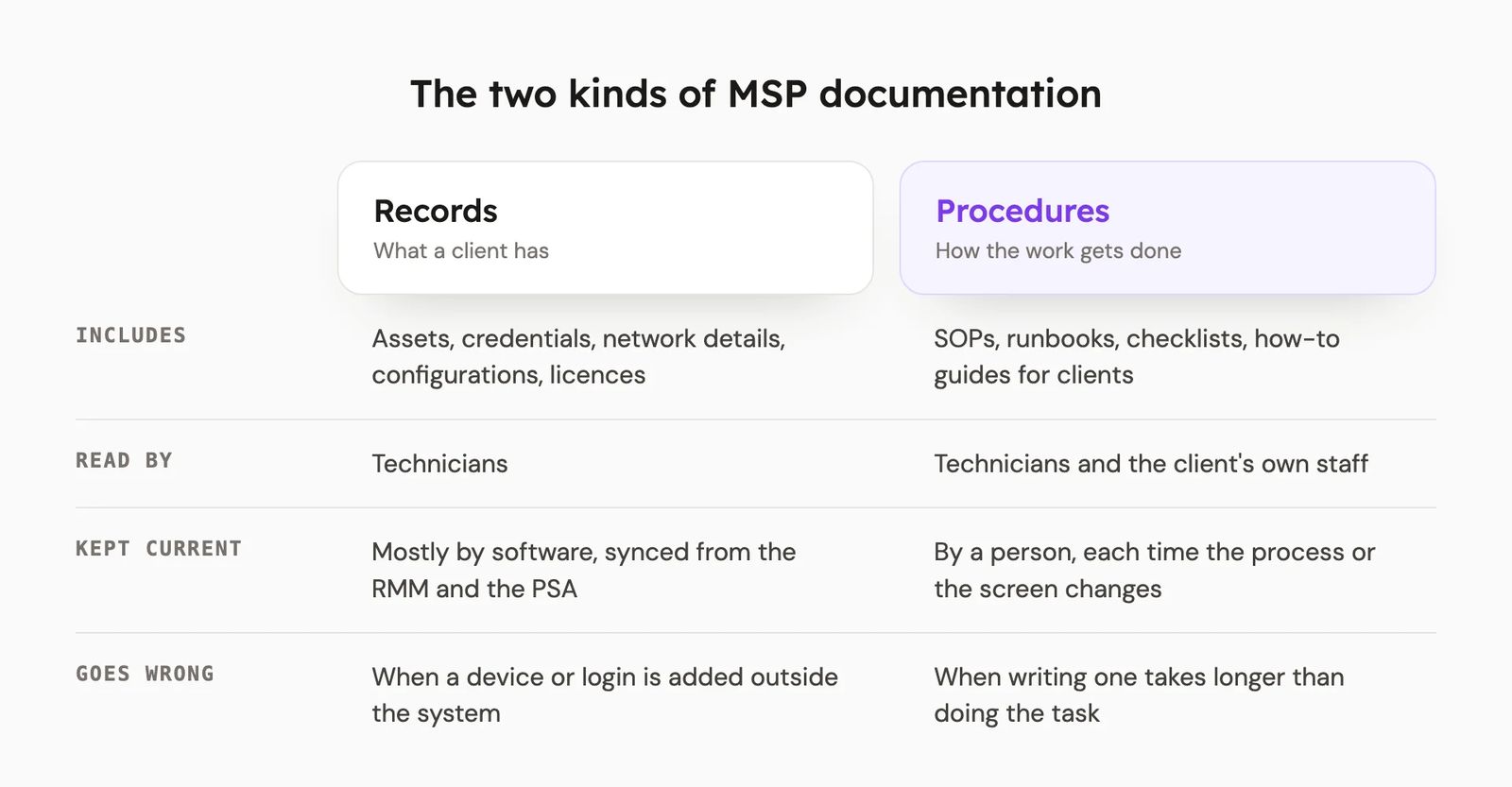
Software can keep most records current. A person has to write every procedure and rewrite it when something changes, so the comparison below includes how each tool gets an SOP written.
MSP documentation tools compared
Each section gives the price, how SOPs get written, how clients read what you share, and one thing to watch for.
IT Glue
Best for: Larger MSPs that want the widest set of integrations and can commit to a 36-month term.
IT Glue, owned by Kaseya, is the platform the others get compared against. It keeps assets, passwords and documents per client, and its integrations include ConnectWise, Autotask, Kaseya BMS, Datto RMM and NinjaOne.
- Price: Basic $29, Select $38 and Enterprise $44 per user a month, based on a 36-month term with a 5-user minimum on each plan, plus a one-time onboarding fee whose amount isn't published (pricing). Cloud only.
- SOPs: The SOP Generator in IT Glue's Chrome extension records clicks, keystrokes and screenshots in the browser and builds a step-by-step document that you review and publish. There is also a template library and an editor.
- Clients: Client access runs through the MyGlue add-on at $407 a month, where clients manage their own passwords and read your SOPs.
- Watch for: Five users on Basic for 36 months comes to $5,220 before the onboarding fee and any add-on.
Hudu
Best for: MSPs that want the same scope as IT Glue without a contract, or that need to host it themselves.
Hudu keeps documents, credentials, assets and network details in one searchable system, and its integrations include ConnectWise PSA, Autotask, HaloPSA, NinjaOne, Datto RMM and Syncro.
- Price: $30 per user a month, or $27 billed annually, with no minimum, no long-term contract and no setup fee (pricing). Cloud and self-hosted cost the same. The 14-day trial needs no card.
- SOPs: Knowledge base articles in a rich-text editor, checklists called Processes, and a browser extension that captures what you do in the browser as step-by-step instructions with screenshots. Hudu AI answers questions from your documentation and is included in the price.
- Clients: Portal users are free and don't use a licence, and an article can be shared by public link.
- Watch for: Network discovery is a separate add-on, Hudu Radar, from $44 a month on annual billing.
IT Portal
Best for: MSPs with 20 or more users, and any MSP that must keep documentation on its own servers.
IT Portal stores devices, credentials, configurations and documents per client, in the cloud or on-premises, and integrates with ConnectWise, Autotask, HaloPSA, NinjaOne, SyncroMSP and N-able.
- Price: Cloud starts at $20 per user a month with a 20-user minimum, so $400 a month (pricing). Yearly billing takes 20% off and a three-year term 25%. There is no setup fee, and a 90-day money-back guarantee stands in for a trial.
- SOPs: An editor, knowledge base articles and forms for procedures, with a shared library of ready-made forms. Its site shows no step recording. An AI content editor added in April 2026 can turn notes into a runbook.
- Clients: 24 client users are free, then $1 per user a month.
- Watch for: A four-person MSP pays for 20 users.
ITFlow
Best for: Small MSPs on a tight budget that can run their own server.
ITFlow is a free, open-source PSA with IT documentation and a password vault built in. It is a PSA in its own right, and its site lists no sync with ConnectWise, Autotask or HaloPSA. Its one RMM integration is Tactical RMM.
- Price: Self-hosted is free with every feature and unlimited agents, under the AGPL-3.0 licence. The hosted version, run by the ITFlow team, is $60 a month with two agents and $25 a month for each extra agent.
- SOPs: A document editor with templates that fill in from the client's record, and version history. An optional AI feature, off until an admin connects a provider, can draft a document or turn a solved ticket into an article.
- Clients: A document appears in the client portal only after you switch it on. Logins and licence keys are never shown there.
- Watch for: If you self-host, the updates, backups and security are yours to run.
NinjaOne Documentation
Best for: MSPs that already run NinjaOne as their RMM.
NinjaOne Documentation is built into the NinjaOne platform, next to its endpoint management and ticketing, with credentials stored against the assets they belong to.
- Price: By quote. NinjaOne prices per device and does not publish its full pricing. There is a 14-day free trial.
- SOPs: An editor with default and custom templates, checklists and version history. Word files can be uploaded and edited. Its site shows no step recording.
- Clients: A public link per document, with an expiry date and a history of who opened it.
- Watch for: It lives inside NinjaOne, so it only makes sense if NinjaOne is your RMM.
N-able Passportal
Best for: MSPs on N-able's RMM whose first need is password management.
Passportal is a cloud-based password manager for MSPs with a documentation manager attached. Its integrations include ConnectWise Manage, HaloPSA, Kaseya BMS, Datto RMM and NinjaOne, along with N-able's own N-central and N-sight.
- Price: By quote, with a free trial on request.
- SOPs: An article editor with ready-made and custom templates, version control, and articles linked to the assets and passwords they mention. Its site shows no step recording.
- Clients: A password portal for clients that carries your logo, colours and URL.
- Watch for: Confirm in the quote that documentation is included. N-able's trial page lists it as an add-on.
Confluence
Best for: MSPs and internal IT teams that only need a wiki for written procedures.
Confluence is a general team wiki. It has no password vault and no client-by-client structure until you build one, and Atlassian's pages list no PSA or RMM sync.
- Price: Free for up to 10 users (pricing). Paid plans are per user, and the advertised $5.78 a month for Standard is the rate for a large team. Smaller teams pay more per user, so use the calculator on the pricing page. New customers get the cloud version only, because the self-managed Data Center edition closed to new customers on March 30, 2026.
- SOPs: Pages in a shared editor with templates. Atlassian's AI, Rovo, drafts a page from rough notes on Standard and above.
- Clients: Guests are free, up to five for each paid user, and each guest sees one space.
- Watch for: You still need a password manager.
If Confluence is what you are moving away from, see our list of Confluence alternatives.
Guidejar
Best for: SOPs for technicians and how-to guides for clients, next to whichever platform holds your records.
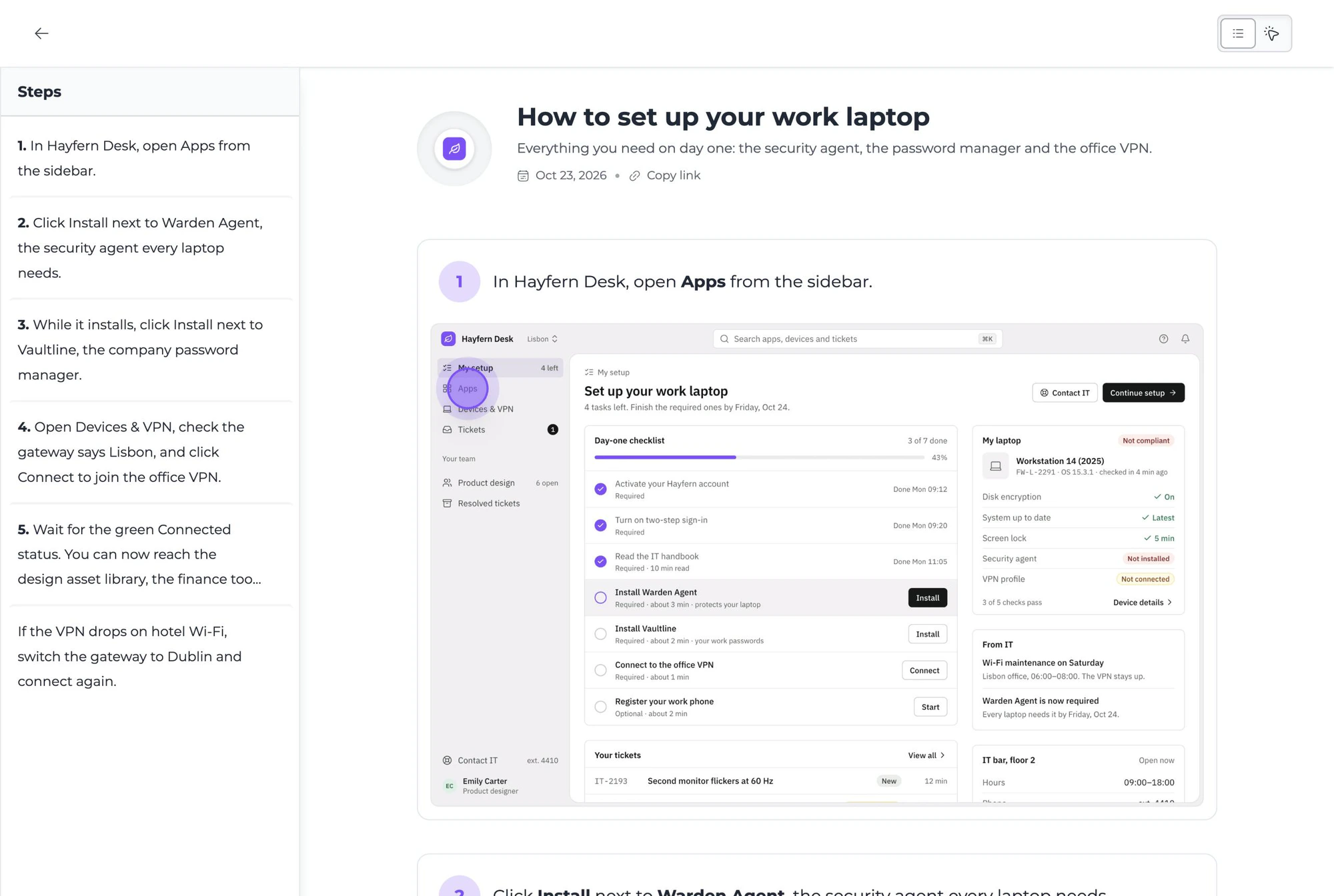
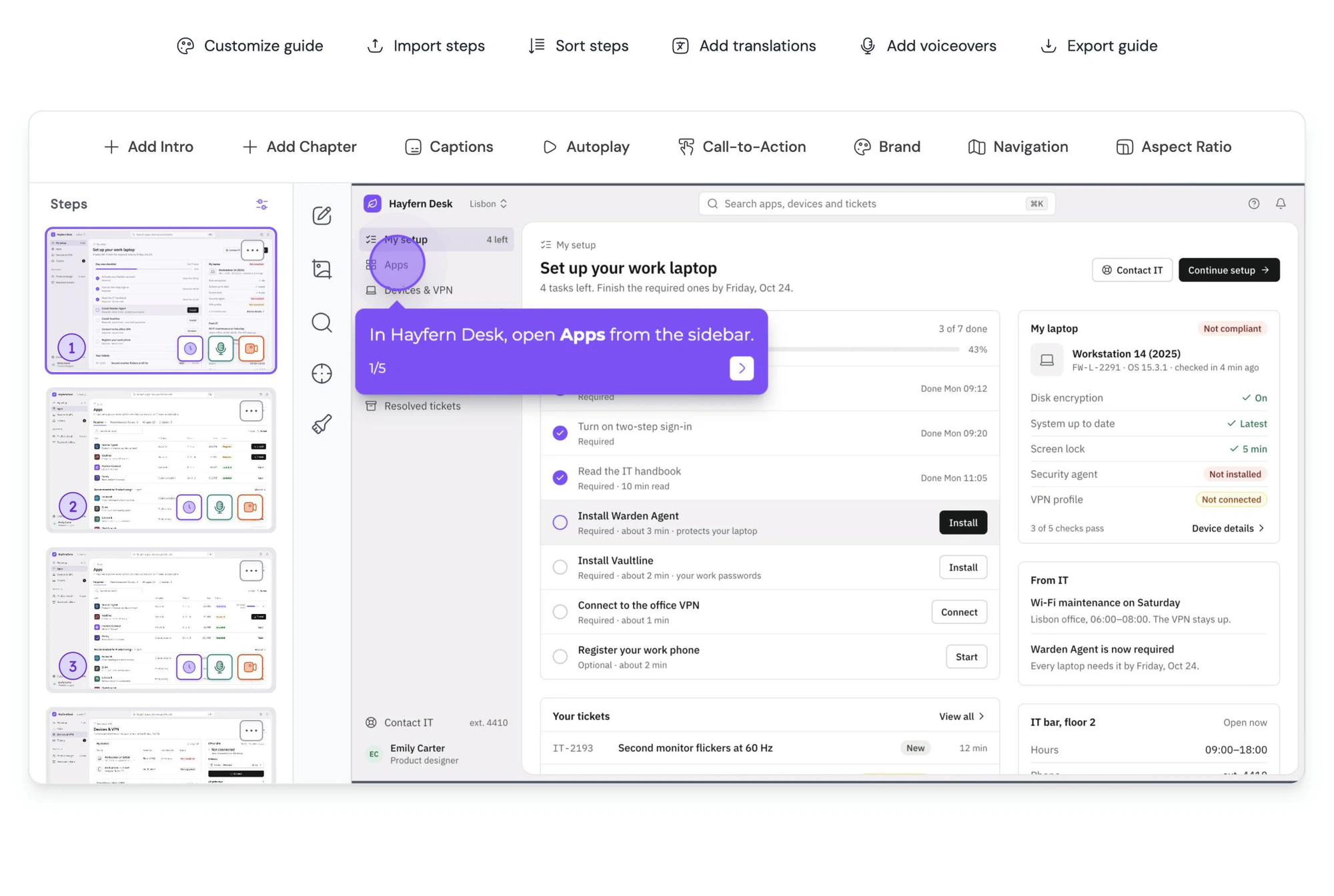
Guidejar is our product. It records a process once, in the browser or on the desktop, and turns it into a step-by-step guide with annotated screenshots that readers can also click through as an interactive walkthrough. It does not store assets or passwords and has no PSA or RMM integration, so you use it alongside one of the platforms above.
- Price: Pro is $19 per creator a month billed yearly ($27 monthly). Plus, at $25 ($36 monthly), adds desktop recording and a help center on your own domain. Business, at $69 a month billed yearly ($99 monthly) for five creators, adds automatic blurring of sensitive data in screenshots, and extra workspaces cost $20 a month each. People who only read are free on every paid plan, and each paid plan has a 7-day free trial (pricing).
- SOPs: A browser extension and a desktop app for Mac and Windows. Our AI agent, Nila, writes the entire guide for you, step by step.
- Clients: Each workspace has its own branded help center, public or limited by password, IP address or SSO.
- Watch for: No vault, no asset records and no sync with your PSA or RMM. The browser extension works in Chromium browsers only (Chrome, Edge, Brave, Arc).
How do SOPs and client how-to guides get written?
The eight tools produce an SOP in one of three ways:
- Recorded in the browser: IT Glue and Hudu.
- Typed into an editor: IT Portal, ITFlow, NinjaOne Documentation, Passportal and Confluence. Someone writes each step and pastes each screenshot.
- Recorded in the browser or on the desktop: Guidejar, and other guide tools such as Scribe.
If you run IT Glue or Hudu, start with the recorder you already pay for. It covers web consoles such as the Microsoft 365 admin center, your PSA and a firewall's web interface, and the SOP is saved next to the client's records.
A separate guide tool is worth paying for in three cases:
- The procedure happens in a desktop app. A browser extension records the browser. Setting up an Outlook profile, a VPN client or a client's accounting software needs a recorder that sees the desktop.
- The reader is the client. Questions such as how to connect to the VPN or add the shared printer come back as tickets. A help center for each client lets their staff find the answer before they write in. Hudu includes free portal users and public links. IT Glue's client access is the MyGlue add-on. In Guidejar, each client gets a workspace with its own help center, and readers don't need a seat.
- Your platform has no recorder. On IT Portal, ITFlow, NinjaOne Documentation, Passportal or Confluence, record the guide in a guide tool, then link it from the client's record. Guidejar can also copy a guide, images included, for pasting into a Confluence page, or export it as a PDF.
Scribe is the best-known tool of this kind. Its free plan records in the browser and is limited to 10 guides. Pro Team is $13 per seat a month billed yearly ($17 monthly) and starts at five seats, and automatic redaction and SSO are on Enterprise (pricing). We compare the two in Guidejar vs Scribe, and list more options in Scribe alternatives.
How to choose for the size of your MSP
The table shows the monthly list price of the four platforms that publish one, for the documentation platform alone. IT Glue's figure assumes its 36-month term, and the others are month to month.
| Users | IT Glue Basic | Hudu | IT Portal cloud | ITFlow hosted |
|---|---|---|---|---|
| 3 | $145 (5-user minimum) | $90 | $400 (20-user minimum) | $85 |
| 10 | $290 | $300 | $400 (20-user minimum) | $260 |
| 25 | $725 | $750 | $500 | $635 |
- 1 to 5 technicians: Hudu or ITFlow. Neither has a minimum or a contract. Pick ITFlow if someone on the team can run a server and you don't already have a PSA.
- 5 to 20 technicians: Hudu and IT Glue Basic cost about the same per user, so decide on the contract (36 months or none), the hosting (Hudu can be self-hosted) and which one connects to your PSA and RMM. If you run NinjaOne or N-able, get a quote for their documentation product first.
- 20 or more: IT Portal becomes the cheapest of the four at 25 users. IT Glue's Enterprise plan, at $44 per user, is the one with unlimited integrations.
Buy the records platform first. A guide tool is worth adding when procedures in desktop apps or how-to questions from clients start to pile up.
MSP documentation best practices
Five habits keep MSP documentation usable:
- Document inside the ticket. When a technician solves something new, the ticket stays open until the fix is written down or linked.
- Use one template per document type. Every client's network page has the same headings, and every SOP has the same parts: purpose, scope, numbered steps, owner. Our guide on how to create an SOP covers what goes in each part.
- Put an owner and a review date on every document. Name one person for each document and show the date it was last checked. Review SOPs when the software they describe changes, and runbooks after each incident that used them. A troubleshooting guide template helps with runbooks.
- Write the SOP the second time a task comes up. The first time, you are still working out how to do it. The second time shows the task repeats, and you can record it while you do it.
- Treat client onboarding and offboarding as documentation work. A client is onboarded once its assets, credentials and contacts are in the system. Offboarding means exporting that client's documentation and handing it over, so check how each tool exports before you choose one.
For the wider category of procedure tools, see our roundup of SOP software for small business. To see how a team runs its SOPs and internal docs in Guidejar, start with SOPs and internal docs.
Frequently asked questions
- What is MSP documentation?
MSP documentation is the information a managed service provider keeps so its technicians can support each client. It has two kinds: records of what the client has (assets, credentials, network details, configurations, licences) and procedures for how work gets done (SOPs, runbooks, checklists and how-to guides for the client's staff).
- What is the best MSP documentation software?
It depends on team size and how long you can commit. Hudu suits most small and mid-sized MSPs: $30 per user a month ($27 billed annually), no minimum, no contract, cloud or self-hosted. IT Glue has the widest integrations but needs five users and a 36-month term, from $29 per user a month. IT Portal starts at 20 users and has the lowest published price at 25 users. ITFlow is free if you host it yourself. Prices checked November 26, 2026.
- Is there free MSP documentation software?
Yes. ITFlow is free and open source when you host it yourself, with every feature and unlimited agents. Confluence is free for up to 10 users, but it has no password vault and isn't built for MSPs. IT Glue, Hudu and IT Portal have no free plan; Hudu offers a 14-day trial and IT Portal a 90-day money-back guarantee.
- Do MSPs need a separate tool for SOPs?
Not always. IT Glue and Hudu both record steps in the browser and turn them into an SOP. A separate guide tool such as Guidejar or Scribe is worth adding when procedures happen in desktop apps, when the guides are for the client's own staff, or when your platform has no recorder, as with IT Portal, ITFlow, NinjaOne Documentation, Passportal and Confluence.
- What is the difference between IT Glue and Hudu?
Both keep assets, passwords and documents per client, sync with PSA and RMM tools, and record SOPs in the browser. IT Glue is cloud only, costs $29 to $44 per user a month on a 36-month term with a five-user minimum, and charges $407 a month for the MyGlue client add-on. Hudu costs $30 per user a month or $27 billed annually, has no minimum or contract, can be self-hosted, and includes free portal users for clients.
- Filed under
- Documentation & SOPs